
Reviews
Your graphics add a nice touch to my presentations and I recently used them for one of my all-hands meetings. Your toolbox adds professionalism to my slides. Instead of using standard clipart.
I needed a fresh look at some of my slides. I've tried to find a way to create a paintbrush effect, to underline, accentuate, add some color and the handwritten markers were just the things. Very easy to use, easy to size, change the color. It was an affordable, perfect solution and I'm happy to recommend it.
The crisp, clean look of the graphics, and the fact that it allowed me to easily edit and change the colors to match the template was my main reason for purchasing them.
Description
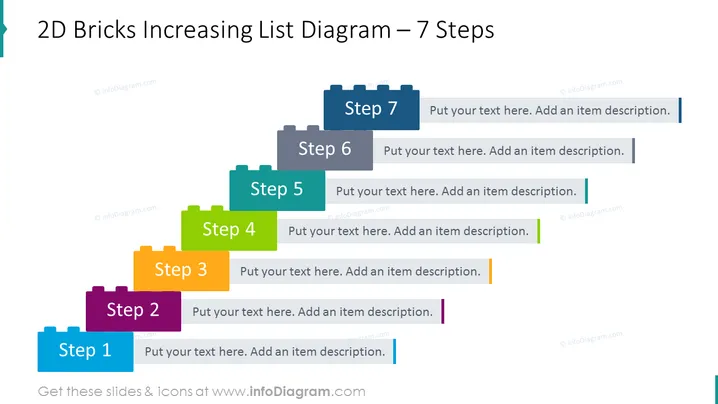
2D Bricks Increasing List Diagram – 7 Steps
Slide Content
The slide depicts a 7-step process using a colorful bricks diagram where each brick represents a step in an increasing sequence. Steps are arranged in ascending order from left to right, each with a different color and ascending in height, emphasizing progression or growth. There's space for text next to each step, allowing for a brief description or details pertaining to that particular step.
- Step 1: Typically represents the starting point or initial phase.
- Step 2: Indicates progression or development from the previous step.
- Step 3: Shows further advancement and possibly the introduction of complexity.
- Step 4: Marks a significant phase in the process, halfway to the final step.
- Step 5: Represents further progress, building on previous steps.
- Step 6: Precedes the final stage, indicating nearing completion.
- Step 7: The final step, denoting completion or the highest point of achievement.
Graphical Look
- The slide background is white, providing a clean and neutral backdrop for the content.
- Each step is depicted by a rectangular brick shape with a slightly three-dimensional effect, giving the appearance of depth.
- The bricks are colored differently in shades of blue, green, orange, and purple, creating a colorful and engaging visual effect.
- There is text placeholder next to each step for adding descriptions, enhancing the informational value of the slide.
- The steps are arranged in an ascending staircase pattern from left to right, symbolizing progress or escalation in a process.
- The design employs flat graphics with subtle shadows for a modern and sleek appearance.
The overall look of the slide is clean and professional, using a visually appealing stepped layout to represent progression. The colors are bright and varied, drawing attention to each individual step and facilitating differentiation between them.
Use Cases
- Explaining the stages of a project or business strategy in a chronological or logical sequence.
- Illustrating the growth ## 2D Bricks Increasing List Diagram – 7 Steps
Slide Content
The slide showcases a colorful, step-by-step diagram that visually represents a process or timeline in seven distinct stages. Each stage is denoted by a "brick" labeled with a step number, and there is a space adjacent to each for descriptive text. The steps are constructed to simulate a rising structure, suggesting increasing complexity, progress, or escalation in stages—inviting the viewer to consider each phase in a sequential or building-block fashion.
Graphical Look
- Seven interlocking brick shapes of varying colors, creating a staggered, ascending visual from left to right.
- Each brick has a label indicating the step number, from "Step 1" through to "Step 7."
- Beside each brick, there is a text box for adding descriptions, aligned with each corresponding step.
- A subtle shadow effect is present under each brick, suggesting a slight lift and adding depth to the two-dimensional graphic.
- The colors of the bricks vary in a pattern, alternating between shades of blue, green, orange, and purple.
- The slide utilizes a modern, flat design style with a clear font for ease of reading.
The slide has a crisp, professional look, with a stair-step layout that intuitively guides the viewer through a process. The variance in brick colors not only aesthetically pleases but also functionally separates each step for clarity.
Use Cases
- Detailed phase descriptions for project presentations, laying out sequential steps in project development.
- Showing escalation in a business case or strategy, indicating the buildup and progression of a concept or plan.
- Building up to a conclusion or revealing a process in training and educational materials.
- Visualizing stages in product development or market growth for a concise and impactful investor presentation.
How to Edit
How to edit text & colors

How to expand / shorten diagram

How to Replace Icons in infoDiagram PPT


