
Reviews
Sus gráficos añaden un toque agradable a mis presentaciones y recientemente los usé para una de mis reuniones generales. Su conjunto de herramientas añade profesionalismo a mis diapositivas. En lugar de usar imágenes prediseñadas estándar.
Necesitaba un aspecto fresco para algunas de mis diapositivas. Había intentado encontrar una forma de crear un efecto de pincel, de subrayar, acentuar, añadir algo de color y los marcadores escritos a mano fueron justo lo que necesitaba. Muy fácil de usar, fácil de ajustar el tamaño, cambiar el color. Fue una solución asequible y perfecta, y estoy feliz de recomendarla.
El aspecto nítido y limpio de los gráficos, y el hecho de que me permitiera editar y cambiar fácilmente los colores para que coincidieran con la plantilla fue mi principal razón para comprarlos.
Description
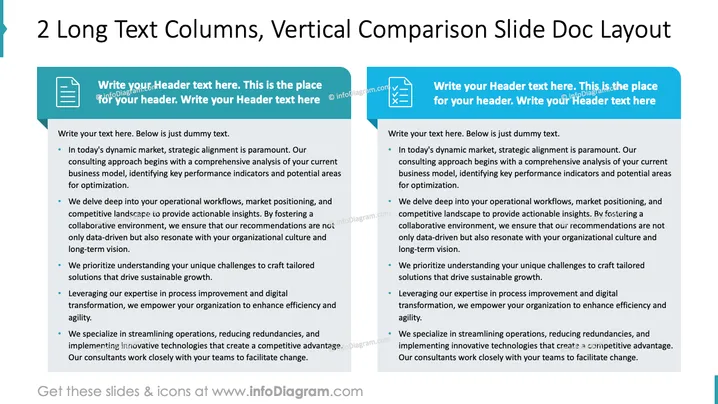
2 Long Text Columns, Vertical Comparison Slide Doc Layout
Slide Content
The slide focuses on strategic alignment in today's dynamic market, starting with a comprehensive analysis of your business model. It emphasizes analyzing operational workflows and market positioning to provide actionable insights, fostering a collaborative environment to ensure recommendations resonate with the organization's culture and vision. It underscores understanding unique challenges to create tailored solutions, leveraging expertise in process improvement and digital transformation for enhanced efficiency, and specializing in streamlining operations to create competitive advantages.
Graphical Look
- The slide features a clean, professional layout with two equally sized columns for comparison.
- Each column has a blue header with a white document icon to denote information sections.
- The text is organized into bullet points for clarity and easy reading.
- A vertical line with a blue arrowhead on the left lends a distinctive visual separation to the layout.
- The background is white, enhancing readability and providing a professional appearance.
The slide has a balanced and organized look, with effective use of color and icons to guide the viewer's attention. The clear separation of information into columns ensures easy comparison and readability.
Use Cases
- Business strategy presentations to align organizational goals.
- Consulting proposals to illustrate comparative strategies.
- Workshops focused on operational improvements and efficiencies.
- Internal meetings for discussing process enhancement initiatives.
How to Edit
How to edit text & colors

How to expand / shorten diagram

How to Replace Icons in infoDiagram PPT


