
Reviews
Ihre Grafiken verleihen meinen Präsentationen eine nette Note, und ich habe sie kürzlich für eines meiner All-Hands-Meetings verwendet. Ihre Toolbox verleiht meinen Folien Professionalität, anstatt Standard-Clipart zu verwenden.
Ich brauchte einen neuen Blick auf einige meiner Folien. Ich habe versucht, einen Weg zu finden, einen Pinselschlag-Effekt zu erzielen, um zu unterstreichen, hervorzuheben, Farbe hinzuzufügen, und die handgeschriebenen Markierungen waren genau das Richtige. Sehr einfach zu bedienen, leicht in der Größe zu ändern, die Farbe zu ändern. Es war eine erschwingliche, perfekte Lösung und ich empfehle sie gerne weiter.
Die klare, saubere Optik der Grafiken und die Tatsache, dass ich die Farben leicht bearbeiten und an die Vorlage anpassen konnte, war mein Hauptgrund für den Kauf.
Description
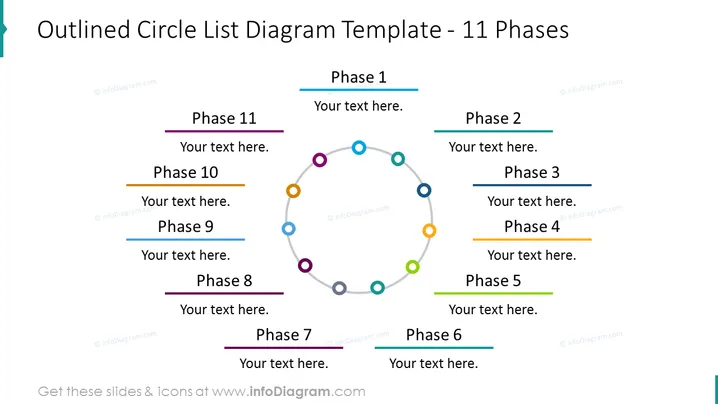
Outlined Circle List Diagram Template - 11 Phases
Slide Content
The slide is a visual template for outlining 11 distinct phases or steps in a process, with a central circular diagram where each phase corresponds to a point on the circle. Each point is depicted with a different color, linked with lines to create a loop, emphasizing the cyclical or continuous nature of the process. The phases are numbered from 1 to 11, with space for descriptive text corresponding to each phase, allowing for a detailed breakdown of complex processes or workflows.
Graphical Look
- A central circle composed of colored outlined circles connected by thin lines to form a loop.
- Each circular point on the central circle is matched with a colored horizontal line on the slide's periphery.
- Colored lines are paired with a label (Phase 1-11) and a placeholder text "Your text here."
- The slide title is positioned at the top center using bold, large, dark font.
- The background of the slide is white, providing high contrast with the colored elements.
The slide has a clean, modern design, utilizing colors to differentiate between the various phases and to guide the viewer's eye through the cycle. The well-spaced elements prevent clutter, aiding in readability and focus.
Use Cases
- To present stages in a product lifecycle or project timeline, clearly indicating the order and progression of events.
- For training purposes, outlining steps in a complex procedure or process to facilitate understanding and memorization.
- In strategic planning meetings to map out business process improvements or development stages.
- During sales presentations to illustrate the customer journey from initial contact to post-sale support.
How to Edit
How to edit text & colors

How to expand / shorten diagram

How to Replace Icons in infoDiagram PPT


