

Your graphics add a nice touch to my presentations and I recently used them for one of my all-hands meetings. Your toolbox adds professionalism to my slides. Instead of using standard clipart.
Claude Jones, Director of Engineer, @Walmartlabs, USA

Your graphics add a nice touch to my presentations and I recently used them for one of my all-hands meetings. Your toolbox adds professionalism to my slides. Instead of using standard clipart.
Claude Jones, Director of Engineer, @Walmartlabs, USA
I needed a fresh look at some of my slides. I've tried to find a way to create a paintbrush effect, to underline, accentuate, add some color and the handwritten markers were just the things. Very easy to use, easy to size, change the color. It was an affordable, perfect solution and I'm happy to recommend it.
Anonymous, US
The crisp, clean look of the graphics, and the fact that it allowed me to easily edit and change the colors to match the template was my main reason for purchasing them.
Brandie Jenkins, E-learning Developer, USA
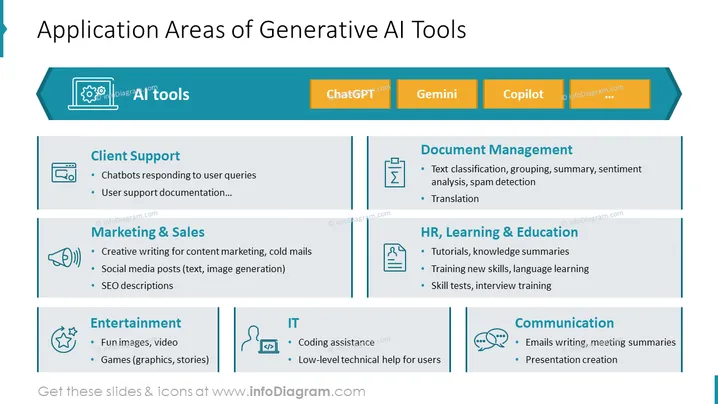
The slide presents various fields where Generative AI Tools are applicable. "Client Support" elaborates on AI's role in chatbots and user support documentation. "Marketing & Sales" involve AI in creative writing, social media, and search engine optimization. "Entertainment" includes its usage in fun graphics and stories for games. "IT" focuses on coding assistance and low-level technical support. "Document Management" covers AI's capabilities in text classification and translation. Finally, "HR, Learning & Education" section notes AI's utility in tutorials, training new skills, and aiding in interviews.
The slide has a clean, professional design with a mix of graphics and text, providing an easy-to-read overview of information. Color-coding and icons are effectively used to differentiate between the various applications of AI.



