
Your graphics add a nice touch to my presentations and I recently used them for one of my all-hands meetings. Your toolbox adds professionalism to my slides. Instead of using standard clipart.
Claude Jones, Director of Engineer, @Walmartlabs, USA

Your graphics add a nice touch to my presentations and I recently used them for one of my all-hands meetings. Your toolbox adds professionalism to my slides. Instead of using standard clipart.
Claude Jones, Director of Engineer, @Walmartlabs, USA

I needed a fresh look at some of my slides. I've tried to find a way to create a paintbrush effect, to underline, accentuate, add some color and the handwritten markers were just the things. Very easy to use, easy to size, change the color. It was an affordable, perfect solution and I'm happy to recommend it.
Anonymous, US
The crisp, clean look of the graphics, and the fact that it allowed me to easily edit and change the colors to match the template was my main reason for purchasing them.
Brandie Jenkins, E-learning Developer, USA
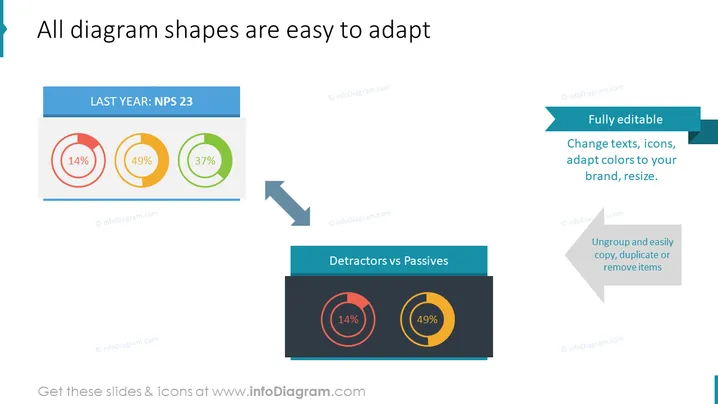
démontre la nature personnalisable des formes de diagrammes PowerPoint. Elle utilise l'exemple d'un graphique à secteurs de base représentant les catégories du Net Promoter Score (NPS) — Détracteurs, Passifs et Promoteurs — passant d'un format simple et coloré à un style duoton. "DERNIÈRE ANNÉE : NPS 23" montre le NPS de l'année précédente, avec des sections pour les Détracteurs (14%), les Passifs (49%) et les Promoteurs (37%). Cela indique que les formes sont entièrement éditables, ce qui signifie que le texte, les icônes et les couleurs peuvent être adaptés à la marque du présentateur, et que les éléments peuvent être redimensionnés, copiés, dupliqués ou supprimés facilement. ### Aspect graphique


