

Your graphics add a nice touch to my presentations and I recently used them for one of my all-hands meetings. Your toolbox adds professionalism to my slides. Instead of using standard clipart.
Claude Jones, Director of Engineer, @Walmartlabs, USA

Your graphics add a nice touch to my presentations and I recently used them for one of my all-hands meetings. Your toolbox adds professionalism to my slides. Instead of using standard clipart.
Claude Jones, Director of Engineer, @Walmartlabs, USA
I needed a fresh look at some of my slides. I've tried to find a way to create a paintbrush effect, to underline, accentuate, add some color and the handwritten markers were just the things. Very easy to use, easy to size, change the color. It was an affordable, perfect solution and I'm happy to recommend it.
Anonymous, US
The crisp, clean look of the graphics, and the fact that it allowed me to easily edit and change the colors to match the template was my main reason for purchasing them.
Brandie Jenkins, E-learning Developer, USA
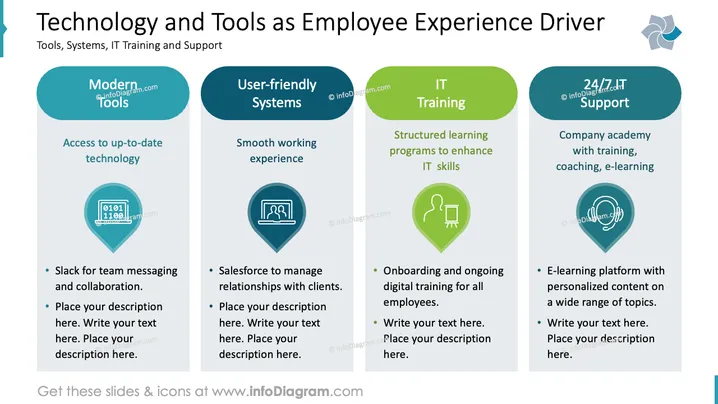
La diapositive explore comment la technologie améliore l'expérience employé à travers quatre domaines principaux. "Outils modernes" met l'accent sur l'accès à des technologies à jour, comme Slack pour la messagerie. "Systèmes conviviaux" se concentre sur une expérience de travail fluide avec des outils comme Salesforce. "Formation IT" implique des programmes structurés pour améliorer les compétences informatiques, cruciaux pour l'intégration. "Support IT 24/7" met en avant une académie d'entreprise offrant formation, coaching et e-learning pour une éducation continue.
Dans l'ensemble, la diapositive équilibre le texte avec des icônes visuellement distinctes et utilise un code couleur pour la clarté. Elle maintient une apparence professionnelle et organisée adaptée aux contextes d'affaires.



