

Your graphics add a nice touch to my presentations and I recently used them for one of my all-hands meetings. Your toolbox adds professionalism to my slides. Instead of using standard clipart.
Claude Jones, Director of Engineer, @Walmartlabs, USA

Your graphics add a nice touch to my presentations and I recently used them for one of my all-hands meetings. Your toolbox adds professionalism to my slides. Instead of using standard clipart.
Claude Jones, Director of Engineer, @Walmartlabs, USA
I needed a fresh look at some of my slides. I've tried to find a way to create a paintbrush effect, to underline, accentuate, add some color and the handwritten markers were just the things. Very easy to use, easy to size, change the color. It was an affordable, perfect solution and I'm happy to recommend it.
Anonymous, US
The crisp, clean look of the graphics, and the fact that it allowed me to easily edit and change the colors to match the template was my main reason for purchasing them.
Brandie Jenkins, E-learning Developer, USA
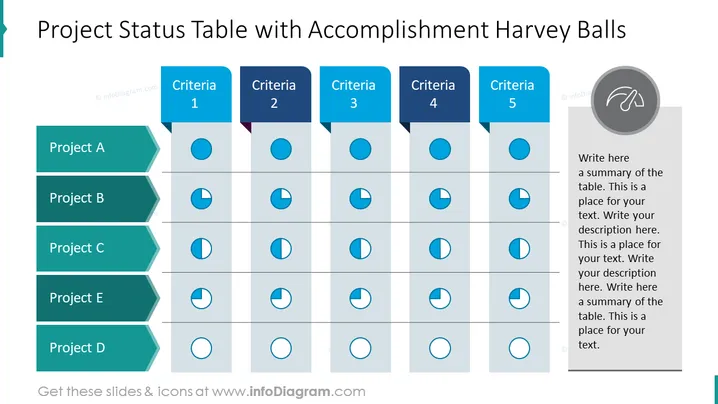
balls para mostrar el progreso durante cinco proyectos. Puedes editar los gráticos y colores de la presentación sin pérdida de calidad. Las instrucciones de edición de video se pueden encontrar en la sección Cómo eeditar. Puedes descargar la presentación en Google Slides y Keynote. Es posible que desees revisar más [diagramas y flujogramas] (https://www.infodiagram.com/category/diagrams- powerpoint/) ilustraciones para obtener mayor inspiración. Esta diapositiva es parte de la Plantilla de PowerPoint de Gráficas de Tablas Creativas. Haz clic en la imagen para ver el mazo completo. ## Infografías de la diapositiva de estado de Harvey Balls PPT Tabla, Codificación por colores, Harvey Balls, Fondo blanco



