

Your graphics add a nice touch to my presentations and I recently used them for one of my all-hands meetings. Your toolbox adds professionalism to my slides. Instead of using standard clipart.
Claude Jones, Director of Engineer, @Walmartlabs, USA

Your graphics add a nice touch to my presentations and I recently used them for one of my all-hands meetings. Your toolbox adds professionalism to my slides. Instead of using standard clipart.
Claude Jones, Director of Engineer, @Walmartlabs, USA
I needed a fresh look at some of my slides. I've tried to find a way to create a paintbrush effect, to underline, accentuate, add some color and the handwritten markers were just the things. Very easy to use, easy to size, change the color. It was an affordable, perfect solution and I'm happy to recommend it.
Anonymous, US
The crisp, clean look of the graphics, and the fact that it allowed me to easily edit and change the colors to match the template was my main reason for purchasing them.
Brandie Jenkins, E-learning Developer, USA
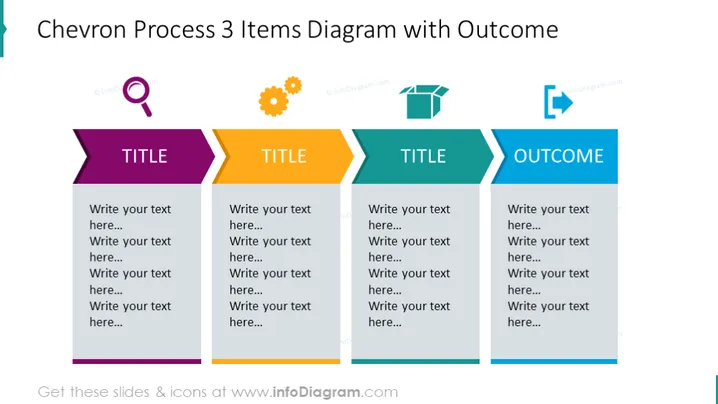
La diapositiva presenta un proceso de tres pasos que conduce a un resultado, cada uno representado por una forma de chevrón. El primer paso está indicado en púrpura con espacio para un título y múltiples líneas de texto. El segundo y el tercer paso se muestran en amarillo y verde azulado, respectivamente, reflejando la estructura del primer paso. El cuarto chevrón en azul significa el resultado con la misma estructura de espacio para el texto. Cada chevrón apunta hacia la derecha, sugiriendo un impulso hacia adelante y progresión de un paso al siguiente.
La apariencia general de la diapositiva es elegante y bien organizada, transmitiendo una sensación de claridad y progresión. El uso de colores distintos para cada paso realza la segmentación visual, lo que facilita diferenciar entre las diversas etapas del proceso.



