
Your graphics add a nice touch to my presentations and I recently used them for one of my all-hands meetings. Your toolbox adds professionalism to my slides. Instead of using standard clipart.
Claude Jones, Director of Engineer, @Walmartlabs, USA
Your graphics add a nice touch to my presentations and I recently used them for one of my all-hands meetings. Your toolbox adds professionalism to my slides. Instead of using standard clipart.
Claude Jones, Director of Engineer, @Walmartlabs, USA
I needed a fresh look at some of my slides. I've tried to find a way to create a paintbrush effect, to underline, accentuate, add some color and the handwritten markers were just the things. Very easy to use, easy to size, change the color. It was an affordable, perfect solution and I'm happy to recommend it.
Anonymous, US
The crisp, clean look of the graphics, and the fact that it allowed me to easily edit and change the colors to match the template was my main reason for purchasing them.
Brandie Jenkins, E-learning Developer, USA
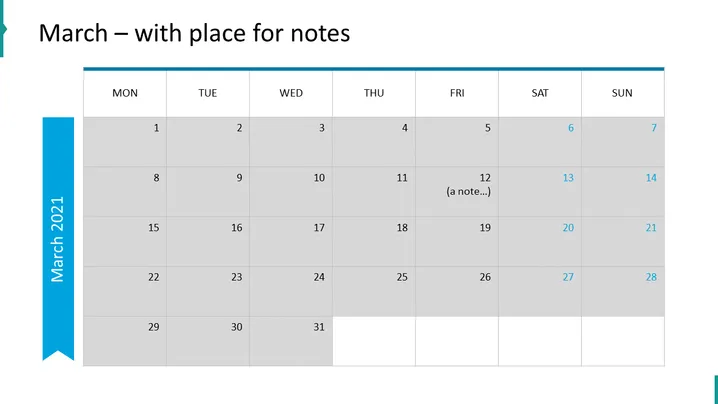
La diapositiva de PowerPoint parece ser una plantilla de calendario para el mes de marzo, etiquetada "Marzo – con espacio para notas." Está estructurada como un calendario mensual estándar con filas que representan semanas y columnas que representan días de lunes a domingo. Dentro de este diseño, las fechas están llenas desde el 1 hasta el 31. El 12 tiene una entrada de ejemplo que dice "(una nota...)," indicando dónde los usuarios podrían agregar sus propias notas o citas.
El aspecto general de la diapositiva es limpio y profesional con una paleta de colores neutral, aparte del acento azul a la izquierda. Los tonos de gris alternos ayudan a diferenciar entre los días y hacen que sea visualmente fácil de navegar.




