
Your graphics add a nice touch to my presentations and I recently used them for one of my all-hands meetings. Your toolbox adds professionalism to my slides. Instead of using standard clipart.
Claude Jones, Director of Engineer, @Walmartlabs, USA
Your graphics add a nice touch to my presentations and I recently used them for one of my all-hands meetings. Your toolbox adds professionalism to my slides. Instead of using standard clipart.
Claude Jones, Director of Engineer, @Walmartlabs, USA
I needed a fresh look at some of my slides. I've tried to find a way to create a paintbrush effect, to underline, accentuate, add some color and the handwritten markers were just the things. Very easy to use, easy to size, change the color. It was an affordable, perfect solution and I'm happy to recommend it.
Anonymous, US
The crisp, clean look of the graphics, and the fact that it allowed me to easily edit and change the colors to match the template was my main reason for purchasing them.
Brandie Jenkins, E-learning Developer, USA
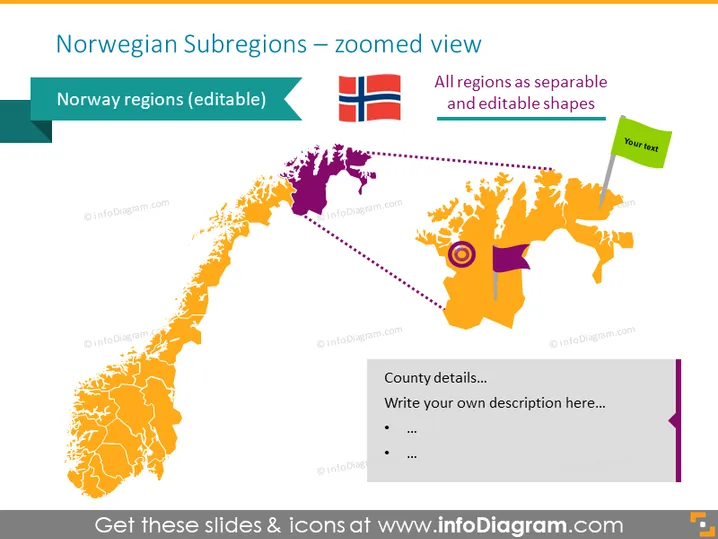
[subregiones noruegas] (https://en.wikipedia.org/wiki/Regions_of_Norway) con una vista ampliada. Puedes resaltar una subregión y escribir una breve descripción, como detalles del condado, etc. Todas las formas son vectores, así que puedes editarlas como te parezca adecuado, sin perder calidad. Las instrucciones de edición de video están incluidas en la sección Cómo editar si no tienes habilidades de diseño. Puedes descargar la presentación en Google Slides y Keynote. Haz clic en la imagen to ver la plantilla completa de PowerPoint de Europa del Norte. ## Infografías de la diapositiva del mapa de Subregiones Noruegas Mapa Vista Ampliada Vector, Codificación por Color, Bandera Noruega, Línea Discontinua Vector, Cuadro de Texto, Icono de Bandera




