

Your graphics add a nice touch to my presentations and I recently used them for one of my all-hands meetings. Your toolbox adds professionalism to my slides. Instead of using standard clipart.
Claude Jones, Director of Engineer, @Walmartlabs, USA

Your graphics add a nice touch to my presentations and I recently used them for one of my all-hands meetings. Your toolbox adds professionalism to my slides. Instead of using standard clipart.
Claude Jones, Director of Engineer, @Walmartlabs, USA
I needed a fresh look at some of my slides. I've tried to find a way to create a paintbrush effect, to underline, accentuate, add some color and the handwritten markers were just the things. Very easy to use, easy to size, change the color. It was an affordable, perfect solution and I'm happy to recommend it.
Anonymous, US
The crisp, clean look of the graphics, and the fact that it allowed me to easily edit and change the colors to match the template was my main reason for purchasing them.
Brandie Jenkins, E-learning Developer, USA
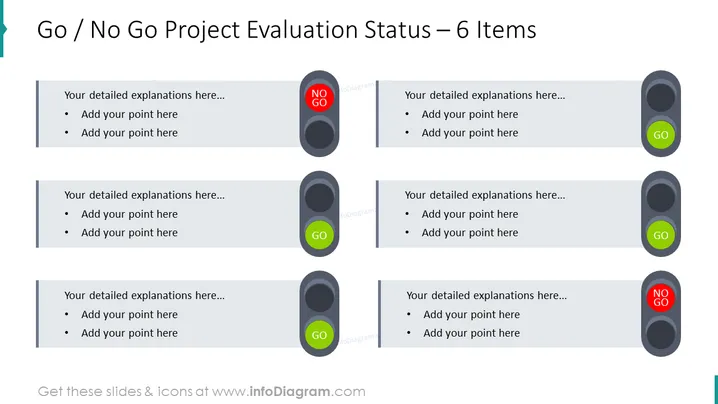
Esta diapositiva está diseñada para la evaluación de proyectos, presentando un estado de 'Go / No Go' para seis elementos diferentes. Cada elemento tiene un indicador circular etiquetado como 'GO' en verde o 'NO GO' en rojo, seguido de un espacio para explicaciones detalladas y viñetas. Este formato puede utilizarse para comunicar rápidamente si varios aspectos de un proyecto están aprobados para avanzar o si necesitan reevaluación o corrección.
Esta diapositiva es ideal para su uso en presentaciones empresariales donde es necesario revisar los estados del proyecto, como reuniones de hitos, revisiones de puertas del proyecto o actualizaciones ejecutivas. Ayuda en la toma de decisiones al mostrar claramente qué partes de un proyecto están listas para avanzar y cuáles no.



