
Your graphics add a nice touch to my presentations and I recently used them for one of my all-hands meetings. Your toolbox adds professionalism to my slides. Instead of using standard clipart.
Claude Jones, Director of Engineer, @Walmartlabs, USA
Your graphics add a nice touch to my presentations and I recently used them for one of my all-hands meetings. Your toolbox adds professionalism to my slides. Instead of using standard clipart.
Claude Jones, Director of Engineer, @Walmartlabs, USA
I needed a fresh look at some of my slides. I've tried to find a way to create a paintbrush effect, to underline, accentuate, add some color and the handwritten markers were just the things. Very easy to use, easy to size, change the color. It was an affordable, perfect solution and I'm happy to recommend it.
Anonymous, US
The crisp, clean look of the graphics, and the fact that it allowed me to easily edit and change the colors to match the template was my main reason for purchasing them.
Brandie Jenkins, E-learning Developer, USA
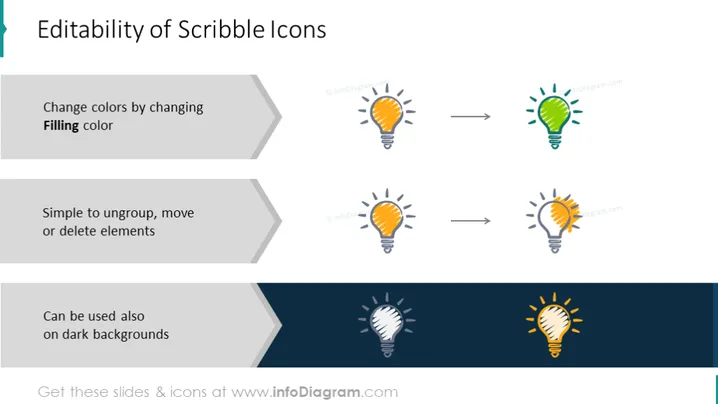
La diapositiva presenta características de "Iconos de Dibujo" con tres puntos principales de editabilidad. Primero, muestra que puedes cambiar los colores de los iconos al alterar el "Color de relleno," lo que implica que los colores de los iconos son personalizables. A continuación, indica que los iconos son "Fáciles de desagrupar, mover o eliminar elementos," sugiriendo que son fáciles de manipular dentro de una presentación. Por último, afirma que los iconos pueden ser "Usados también sobre fondos oscuros," indicando versatilidad en varios diseños.
La diapositiva tiene una estética moderna y limpia con un diseño fácil de seguir. El uso de iconos consistentes ayuda a comunicar visualmente las características de editabilidad que se están discutiendo.




