
Your graphics add a nice touch to my presentations and I recently used them for one of my all-hands meetings. Your toolbox adds professionalism to my slides. Instead of using standard clipart.
Claude Jones, Director of Engineer, @Walmartlabs, USA
Your graphics add a nice touch to my presentations and I recently used them for one of my all-hands meetings. Your toolbox adds professionalism to my slides. Instead of using standard clipart.
Claude Jones, Director of Engineer, @Walmartlabs, USA
I needed a fresh look at some of my slides. I've tried to find a way to create a paintbrush effect, to underline, accentuate, add some color and the handwritten markers were just the things. Very easy to use, easy to size, change the color. It was an affordable, perfect solution and I'm happy to recommend it.
Anonymous, US
The crisp, clean look of the graphics, and the fact that it allowed me to easily edit and change the colors to match the template was my main reason for purchasing them.
Brandie Jenkins, E-learning Developer, USA
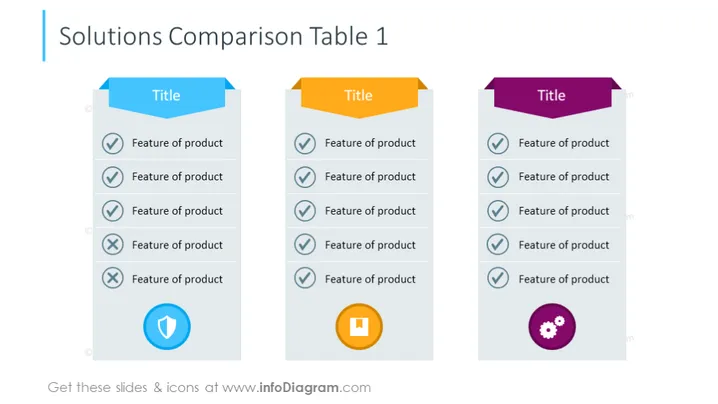
La diapositiva está diseñada para comparar diferentes soluciones o productos al listar sus características. Cada columna representa una opción distinta, encabezada por un banner titulado "Título" para presumiblemente insertar el nombre o tipo de solución. Las características se enumeran en la columna, cada una acompañada por un ícono de marca de verificación o una cruz que indica la presencia o ausencia de la característica. En la parte inferior de la columna, hay un ícono de escudo o engranaje, que potencialmente significa opciones de seguridad o personalización.
El aspecto general de la diapositiva es profesional y limpio, con un diseño coordinado en colores para distinguir entre diferentes soluciones. El uso de gráficos simples e íconos distintos hace que la comparación sea directa y visualmente atractiva.




