

Your graphics add a nice touch to my presentations and I recently used them for one of my all-hands meetings. Your toolbox adds professionalism to my slides. Instead of using standard clipart.
Claude Jones, Director of Engineer, @Walmartlabs, USA

Your graphics add a nice touch to my presentations and I recently used them for one of my all-hands meetings. Your toolbox adds professionalism to my slides. Instead of using standard clipart.
Claude Jones, Director of Engineer, @Walmartlabs, USA
I needed a fresh look at some of my slides. I've tried to find a way to create a paintbrush effect, to underline, accentuate, add some color and the handwritten markers were just the things. Very easy to use, easy to size, change the color. It was an affordable, perfect solution and I'm happy to recommend it.
Anonymous, US
The crisp, clean look of the graphics, and the fact that it allowed me to easily edit and change the colors to match the template was my main reason for purchasing them.
Brandie Jenkins, E-learning Developer, USA
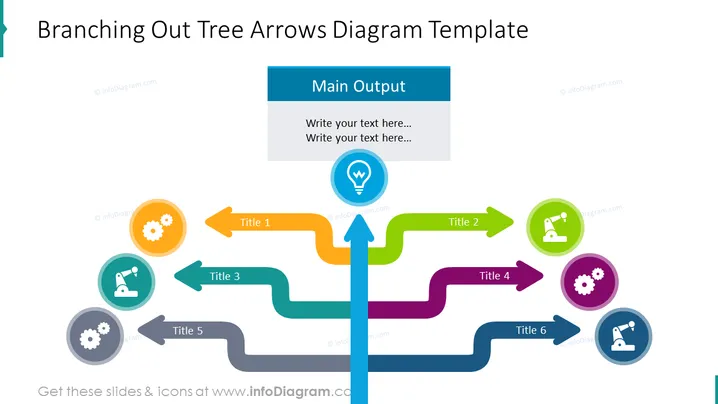
La diapositiva es una representación visual de un proceso de ramificación o estructura organizativa. En el centro, hay una flecha vertical principal etiquetada como "Salida Principal," de la cual se extienden seis flechas horizontales ramificadas, cada una llevando a un ícono circular con un título. El Título 1 tiene un ícono de engranaje que indica un mecanismo o proceso de sistemas. El Título 2 presenta un microscopio que sugiere investigación o análisis. El Título 3 y el Título 6 comparten íconos similares, posiblemente representando duplicación o procesos paralelos. Los Títulos 4 y 5 también tienen engranajes, reforzando el tema de maquinaria u operaciones.
La diapositiva aprovecha colores brillantes y formas claramente definidas para crear un diagrama visualmente atractivo y fácil de entender. El uso de íconos y flechas permite transmitir una variedad de información de manera rápida y eficiente.



