

Your graphics add a nice touch to my presentations and I recently used them for one of my all-hands meetings. Your toolbox adds professionalism to my slides. Instead of using standard clipart.
Claude Jones, Director of Engineer, @Walmartlabs, USA

Your graphics add a nice touch to my presentations and I recently used them for one of my all-hands meetings. Your toolbox adds professionalism to my slides. Instead of using standard clipart.
Claude Jones, Director of Engineer, @Walmartlabs, USA
I needed a fresh look at some of my slides. I've tried to find a way to create a paintbrush effect, to underline, accentuate, add some color and the handwritten markers were just the things. Very easy to use, easy to size, change the color. It was an affordable, perfect solution and I'm happy to recommend it.
Anonymous, US
The crisp, clean look of the graphics, and the fact that it allowed me to easily edit and change the colors to match the template was my main reason for purchasing them.
Brandie Jenkins, E-learning Developer, USA
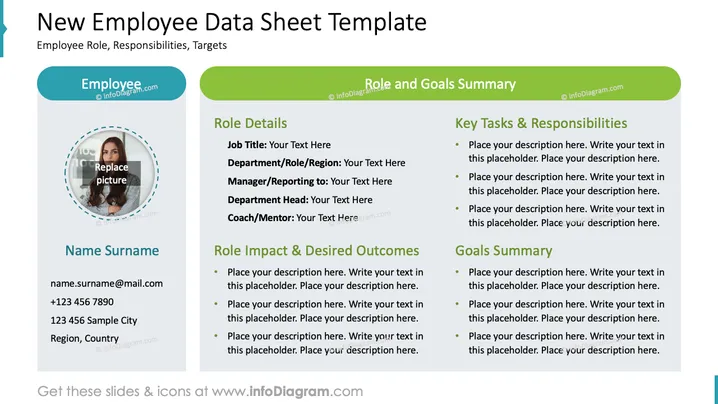
Die Folie trägt den Titel "Neue Mitarbeitendendatenblatt-Vorlage" und ist in drei Hauptabschnitte unterteilt, die umfassende Informationen über eine neue Einstellung bereitstellen. Die Abschnitte sind: persönliche Details mit Platz für ein Foto, Kontaktdaten und grundlegende Identifikatoren; Rollendetails, die Berufsbezeichnung, Abteilung, Berichtsstruktur und Mentorship abdecken; und schließlich eine Zusammenfassung der wichtigsten Aufgaben, Verantwortlichkeiten und Ziele. Jeder Abschnitt enthält Platzhalter, die anzeigen, wo relevante Details eingegeben werden sollen, um einen klaren Überblick über das berufliche Profil des Mitarbeiters und die erwarteten Beiträge zu geben.
Der gesamte Look der Folie ist professionell und organisiert, mit einer klaren Struktur, die zwischen persönlichen Details, Rollenspezifika und Zielen unterscheidet. Sie nutzt kontrastierende Farben für eine einfache Lesbarkeit und Platzhalter, um den Präsentierenden bei der Anpassung des Inhalts zu unterstützen.



