

Your graphics add a nice touch to my presentations and I recently used them for one of my all-hands meetings. Your toolbox adds professionalism to my slides. Instead of using standard clipart.
Claude Jones, Director of Engineer, @Walmartlabs, USA

Your graphics add a nice touch to my presentations and I recently used them for one of my all-hands meetings. Your toolbox adds professionalism to my slides. Instead of using standard clipart.
Claude Jones, Director of Engineer, @Walmartlabs, USA
I needed a fresh look at some of my slides. I've tried to find a way to create a paintbrush effect, to underline, accentuate, add some color and the handwritten markers were just the things. Very easy to use, easy to size, change the color. It was an affordable, perfect solution and I'm happy to recommend it.
Anonymous, US
The crisp, clean look of the graphics, and the fact that it allowed me to easily edit and change the colors to match the template was my main reason for purchasing them.
Brandie Jenkins, E-learning Developer, USA
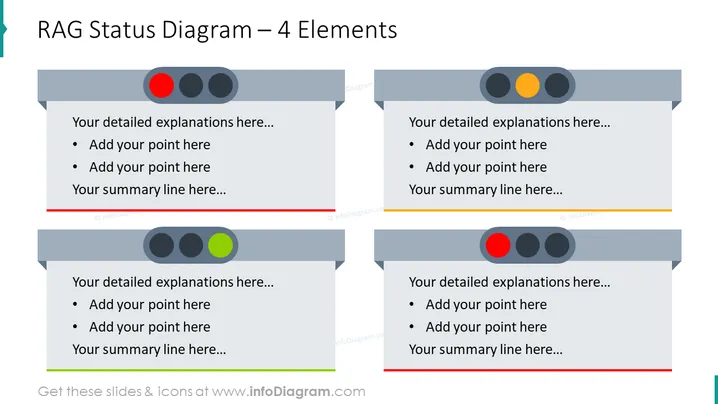
Die Folie ist ein RAG (Rot, Amber, Grün) Statusdiagramm mit vier Elementen, das dazu dient, den Status verschiedener Aufgaben oder Projekte zu umreißen. Rot kennzeichnet kritische Bereiche, die sofortige Aufmerksamkeit erfordern, Amber deutet auf Vorsicht hin, während eine weitere Überprüfung oder Handlung erforderlich ist, und Grün zeigt an, dass der Bereich im Plan liegt oder keine Probleme aufweist. Dieses Format ermöglicht detaillierte Erklärungen und Aufzählungspunkte unter jeder Statuskategorie und erleichtert einen schnellen, aber umfassenden Überblick über den Gesundheitszustand oder den Fortschritt des Projekts.
Diese Folie wäre besonders nützlich in Geschäfts- oder Projektmanagement-Präsentationen, um Statusupdates, Risikobewertungen oder Fortschrittsberichte bereitzustellen. Sie kann Teams helfen, schnell Bereiche zu identifizieren, die vom Kurs abweichen, vorsichtige Maßnahmen erfordern oder gut abschneiden.



