

Your graphics add a nice touch to my presentations and I recently used them for one of my all-hands meetings. Your toolbox adds professionalism to my slides. Instead of using standard clipart.
Claude Jones, Director of Engineer, @Walmartlabs, USA

Your graphics add a nice touch to my presentations and I recently used them for one of my all-hands meetings. Your toolbox adds professionalism to my slides. Instead of using standard clipart.
Claude Jones, Director of Engineer, @Walmartlabs, USA
I needed a fresh look at some of my slides. I've tried to find a way to create a paintbrush effect, to underline, accentuate, add some color and the handwritten markers were just the things. Very easy to use, easy to size, change the color. It was an affordable, perfect solution and I'm happy to recommend it.
Anonymous, US
The crisp, clean look of the graphics, and the fact that it allowed me to easily edit and change the colors to match the template was my main reason for purchasing them.
Brandie Jenkins, E-learning Developer, USA
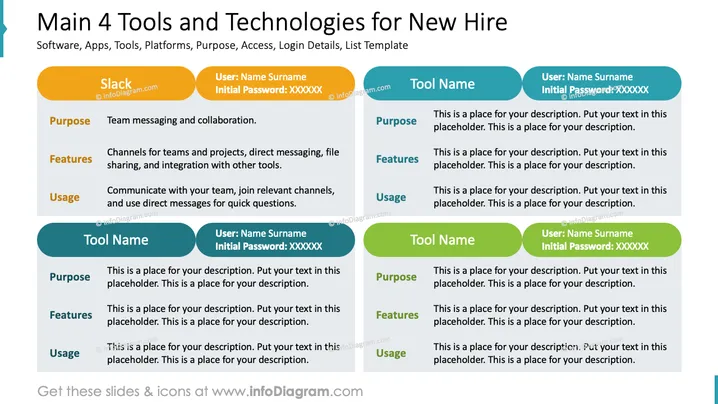
Die PowerPoint-Folie mit dem Titel "Haupt 4 Werkzeuge und Technologien für Neueinstellungen" scheint eine Vorlage zu sein, die verschiedene Software, Apps oder Technologien zeigt, die ein neuer Mitarbeiter möglicherweise verwenden soll. Sie beschreibt den Zweck, die Funktionen und die Verwendung jedes Werkzeugs. Ein Beispiel, das bereitgestellt wird, ist für die Kommunikationssoftware "Slack", mit Details zu Teamnachrichten, Kanälen für Teams und Projekte, Direktnachrichten, Dateifreigabe und Integration mit anderen Werkzeugen. Der Nutzungstipp schlägt vor, mit dem Team zu kommunizieren, Kanäle beizutreten und Direktnachrichten für schnelle Fragen zu nutzen. Es gibt Platzhalter für drei zusätzliche Werkzeuge, mit Abschnitten, um deren Zwecke, Funktionen und Verwendung sowie Anmeldedaten aufzunehmen.



