

Your graphics add a nice touch to my presentations and I recently used them for one of my all-hands meetings. Your toolbox adds professionalism to my slides. Instead of using standard clipart.
Claude Jones, Director of Engineer, @Walmartlabs, USA

Your graphics add a nice touch to my presentations and I recently used them for one of my all-hands meetings. Your toolbox adds professionalism to my slides. Instead of using standard clipart.
Claude Jones, Director of Engineer, @Walmartlabs, USA
I needed a fresh look at some of my slides. I've tried to find a way to create a paintbrush effect, to underline, accentuate, add some color and the handwritten markers were just the things. Very easy to use, easy to size, change the color. It was an affordable, perfect solution and I'm happy to recommend it.
Anonymous, US
The crisp, clean look of the graphics, and the fact that it allowed me to easily edit and change the colors to match the template was my main reason for purchasing them.
Brandie Jenkins, E-learning Developer, USA
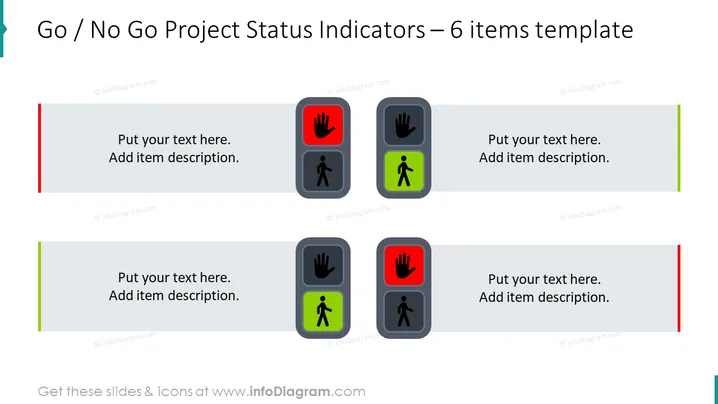
Die Folie ist so gestaltet, dass sie eine schnelle visuelle Referenz für die Bewertung des Projektstatus bietet, indem sie 'Go' oder 'No Go' Indikatoren verwendet. Jedes Element ist mit einem Symbol versehen – entweder einer grünen Figur, um 'Go' anzuzeigen, oder einer roten Hand, um 'No Go' zu kennzeichnen. Dieses Format wird typischerweise verwendet, um darzustellen, ob Teile eines Projekts die Kriterien erfüllen, um fortzufahren, oder ob zusätzliche Arbeiten oder Bewertungen erforderlich sind, bevor man weitermacht.
Das gesamte Erscheinungsbild ist klar und verwendet universelle Symbole, um den Status 'Weiter' oder 'Halt' zu kommunizieren, was es einfach macht, auf einen Blick zu interpretieren.
Diese Folie ist geeignet für Projektmanagement-Meetings, um die Bereitschaft verschiedener Projektkomponenten anzuzeigen, Entscheidungsprozesse zur Genehmigung von Projektphasen oder Statusupdates, bei denen schnelle visuelle Hinweise erforderlich sind, um Fortschritte zu zeigen.



