

Your graphics add a nice touch to my presentations and I recently used them for one of my all-hands meetings. Your toolbox adds professionalism to my slides. Instead of using standard clipart.
Claude Jones, Director of Engineer, @Walmartlabs, USA

Your graphics add a nice touch to my presentations and I recently used them for one of my all-hands meetings. Your toolbox adds professionalism to my slides. Instead of using standard clipart.
Claude Jones, Director of Engineer, @Walmartlabs, USA
I needed a fresh look at some of my slides. I've tried to find a way to create a paintbrush effect, to underline, accentuate, add some color and the handwritten markers were just the things. Very easy to use, easy to size, change the color. It was an affordable, perfect solution and I'm happy to recommend it.
Anonymous, US
The crisp, clean look of the graphics, and the fact that it allowed me to easily edit and change the colors to match the template was my main reason for purchasing them.
Brandie Jenkins, E-learning Developer, USA
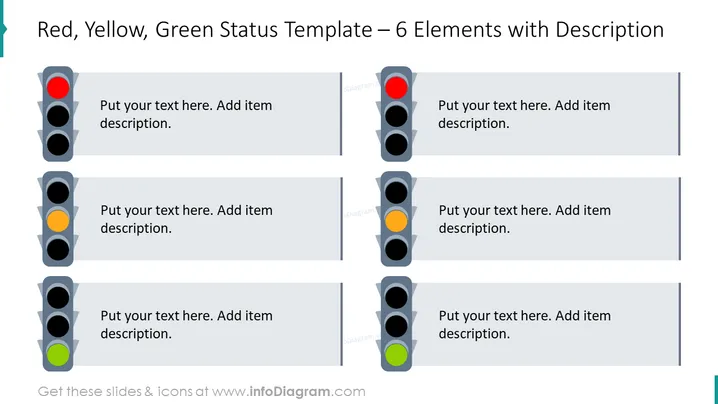
Die Folie ist strukturiert, um einen Statusbericht über sechs Kategorien zu präsentieren, wobei das Ampel-Farbkodierungssystem verwendet wird, um unterschiedliche Dringlichkeiten oder Fortschritte anzuzeigen. Rot steht für kritische Probleme oder Stopps, Gelb weist auf Vorsicht oder Aufgaben hin, die in Bearbeitung sind und Aufmerksamkeit erfordern, und Grün repräsentiert Aufgaben, die abgeschlossen oder im Zeitrahmen sind. Dieser visuelle Ansatz bietet ein klares und sofortiges Verständnis des Projektstatus oder der operativen Gesundheit.
Diese Folie wäre in einer Vielzahl von Geschäftspräsentationen nützlich, insbesondere für Updates im Projektmanagement, operativen Statusbesprechungen oder jedes Szenario, in dem eine klare visuelle Darstellung des Fortschritts erforderlich ist. Sie ist auch für Dashboards in der Leistungsberichterstattung geeignet.



