

Your graphics add a nice touch to my presentations and I recently used them for one of my all-hands meetings. Your toolbox adds professionalism to my slides. Instead of using standard clipart.
Claude Jones, Director of Engineer, @Walmartlabs, USA

Your graphics add a nice touch to my presentations and I recently used them for one of my all-hands meetings. Your toolbox adds professionalism to my slides. Instead of using standard clipart.
Claude Jones, Director of Engineer, @Walmartlabs, USA
I needed a fresh look at some of my slides. I've tried to find a way to create a paintbrush effect, to underline, accentuate, add some color and the handwritten markers were just the things. Very easy to use, easy to size, change the color. It was an affordable, perfect solution and I'm happy to recommend it.
Anonymous, US
The crisp, clean look of the graphics, and the fact that it allowed me to easily edit and change the colors to match the template was my main reason for purchasing them.
Brandie Jenkins, E-learning Developer, USA
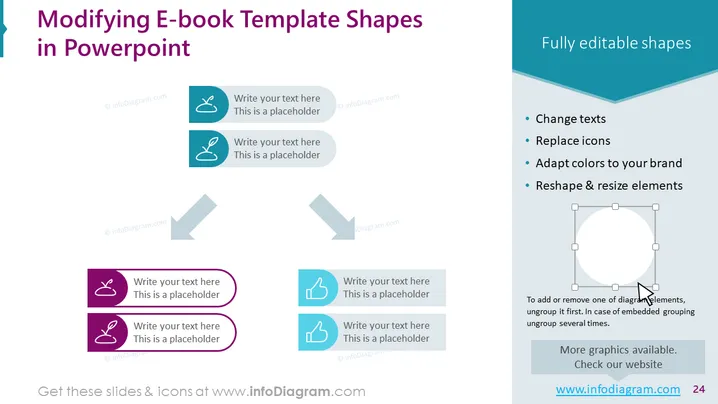
Inhalt der Folie: Die Folie konzentriert sich darauf, wie man E-Book-Vorlagenformen in PowerPoint ändert. Sie beschreibt vier grundlegende Funktionen: Ändern von Texten, Ersetzen von Icons, Anpassen von Farben an Ihre Marke und Umformen & Anpassen von Elementen. Dies sind wesentliche Aufgaben bei der Anpassung von PowerPoint-Vorlagen, um besser zur visuellen Identität oder Präsentationsstil einer Marke zu passen, sodass ein Präsentator seinen Inhalt personalisieren kann.
Grafische Darstellung:
Der Gesamteindruck der Folie ist sauber und professionell, mit einer ausgewogenen Verwendung von Icons und Text, um die änderbaren Aspekte der E-Book-Vorlagen zu vermitteln. Der visuelle Fluss wird durch Pfeile gelenkt, die eine logische Abfolge für die Modifizierung der Vorlagen vorschlagen.
Anwendungsfälle:



