Reviews
Your graphics add a nice touch to my presentations and I recently used them for one of my all-hands meetings. Your toolbox adds professionalism to my slides. Instead of using standard clipart.
I needed a fresh look at some of my slides. I've tried to find a way to create a paintbrush effect, to underline, accentuate, add some color and the handwritten markers were just the things. Very easy to use, easy to size, change the color. It was an affordable, perfect solution and I'm happy to recommend it.
The crisp, clean look of the graphics, and the fact that it allowed me to easily edit and change the colors to match the template was my main reason for purchasing them.
Description
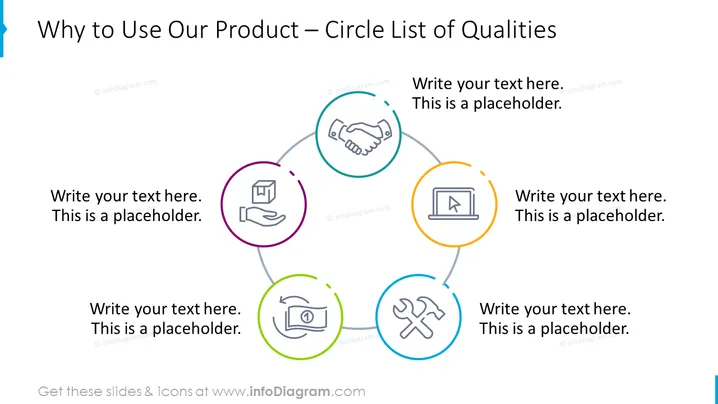
Why to Use Our Product – Circle List of Qualities
Slide Content:
The slide is intended to illustrate the key qualities of a product using a circular list format. Around the circle, there are placeholders for text where descriptions of the product's qualities should be written. This kind of slide is typically used to highlight the most compelling reasons to use a product, each represented by a different icon within the circle, signifying various aspects such as service, quality, innovation, etc.
Graphical Look:
- A large circle in the center of the slide connecting four smaller circles, each containing an icon.
- The icons include a handshake, a protective shield, a laptop, and a wrench and screwdriver, each symbolizing different product qualities.
- Each icon is encased within a colored circle – purple, green, orange, and blue respectively.
- Thin lines connect the smaller circles to the central circle, creating a sense of interconnection.
The slide has a clean and organized appearance with a central circular flow that visually connects the product's qualities. The colored icons are distinct yet unified by the central circle, making the design cohesive and focused.
Use Cases:
- To present a new product's features in a marketing pitch.
- During customer meetings to succinctly communicate product benefits.
- In a trade show presentation to inform attendees about product highlights.
- Within product training to familiarize sales staff with key selling points.
How to Edit
How to edit text & colors

How to expand / shorten diagram

How to Replace Icons in infoDiagram PPT


