Reviews
Your graphics add a nice touch to my presentations and I recently used them for one of my all-hands meetings. Your toolbox adds professionalism to my slides. Instead of using standard clipart.
I needed a fresh look at some of my slides. I've tried to find a way to create a paintbrush effect, to underline, accentuate, add some color and the handwritten markers were just the things. Very easy to use, easy to size, change the color. It was an affordable, perfect solution and I'm happy to recommend it.
The crisp, clean look of the graphics, and the fact that it allowed me to easily edit and change the colors to match the template was my main reason for purchasing them.
Description
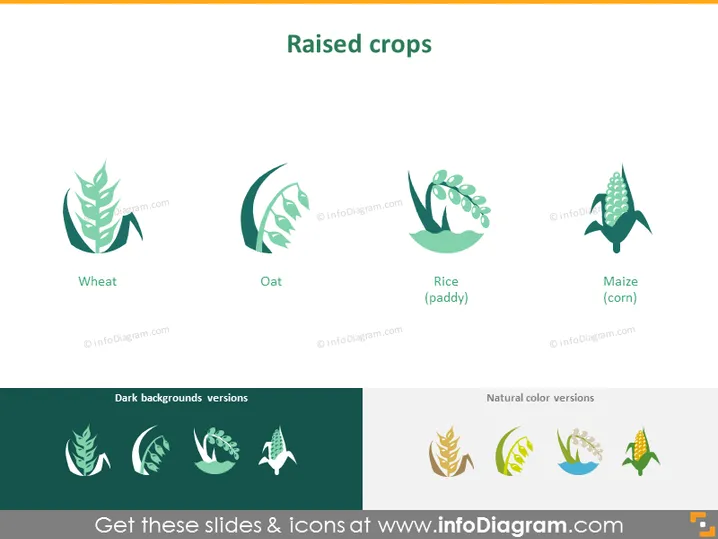
Raised crops
Slide Content
The slide is titled "Raised crops" and depicts four main types of crops: Wheat, Oat, Rice (paddy), and Maize (corn). Each crop is represented by a stylized graphic, which is iconographic in nature. For instance, wheat is depicted with a beard and a prominent head, characteristic of the mature plant; oats are shown with a slender stem and light feathering; rice is visualized as a semi-circular plant indicative of the paddy environment; and maize is illustrated with rows of kernels typical of the corn cob.
Graphical Look
- On the top, the title "Raised crops" is prominently displayed.
- Below the title, four stylized icons represent different crops: Wheat, Oat, Rice, and Maize.
- Each icon has a corresponding label beneath it, clearly indicating the crop type.
- The icons are designed with a minimalistic and artistic flair, utilizing varied shades of green and simplifying the plant structure into recognizable symbols.
- There are additional icons below in two groups: "Dark backgrounds versions" which duplicates the icons against a dark background, and "Natural color versions" which shows similar icons in their natural colors.
- The icons are evenly spaced and aligned both horizontally and vertically, with ample whitespace around each element for a clean and professional layout.
The slide exhibits a clean and professional design with a simple color scheme that emphasizes green tones, providing a natural and ecological feel. The use of iconography makes the information immediately recognizable and visually appealing.
Use Cases
- Presenting agricultural data or trends in crop production during business meetings or conferences.
- Educating the audience on different types of crops within agricultural, educational, or training presentations.
- Using as a visual aid in discussions about crop diversification, sustainability, or food supply chains.
- Incorporating into marketing materials for companies in the agriculture industry to showcase their product range or farming capabilities.
How to Edit
How to edit text & colors

How to expand / shorten diagram

How to Replace Icons in infoDiagram PPT


