Reviews
Your graphics add a nice touch to my presentations and I recently used them for one of my all-hands meetings. Your toolbox adds professionalism to my slides. Instead of using standard clipart.
I needed a fresh look at some of my slides. I've tried to find a way to create a paintbrush effect, to underline, accentuate, add some color and the handwritten markers were just the things. Very easy to use, easy to size, change the color. It was an affordable, perfect solution and I'm happy to recommend it.
The crisp, clean look of the graphics, and the fact that it allowed me to easily edit and change the colors to match the template was my main reason for purchasing them.
Description
What is Employee Experience
Slide Content
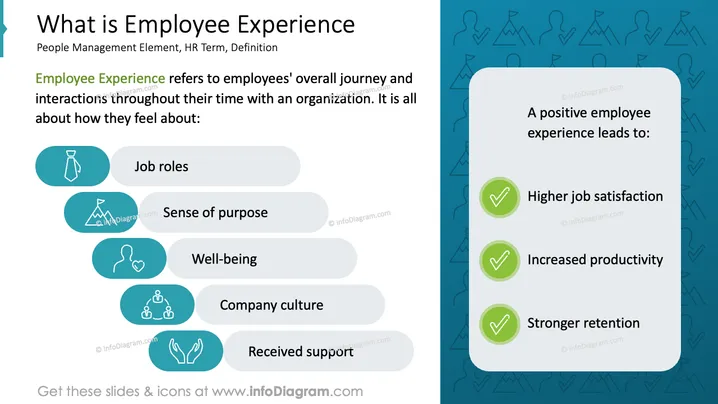
Employee Experience refers to the overall journey and interactions of employees during their time with an organization, focusing on how they feel about various aspects. These include job roles, sense of purpose, well-being, company culture, and received support. A positive employee experience can lead to higher job satisfaction, increased productivity, and stronger retention rates.
Graphical Look
- The slide is divided into two sections, with text on the left and icons on the right.
- The left section features five illustrated icons: a tie for job roles, a mountain for sense of purpose, a heart for well-being, a group of people for company culture, and hands for received support.
- The right section is a rounded rectangle with a teal background, listing benefits of a positive employee experience, accompanied by green checkmarks.
- The background features subtle icons reinforcing the concepts discussed.
The slide has a clean, professional look, with visually engaging icons and a clear, structured layout enhancing the understanding of the content.
Use Cases
- Presentations on improving employee satisfaction in HR workshops.
- Corporate training sessions on organizational development.
- Business seminars focusing on employee engagement strategies.
- Executive meetings discussing retention and productivity improvement plans.
How to Edit
How to edit text & colors

How to expand / shorten diagram

How to Replace Icons in infoDiagram PPT


