Reviews
Sus gráficos añaden un toque agradable a mis presentaciones y recientemente los usé para una de mis reuniones generales. Su conjunto de herramientas añade profesionalismo a mis diapositivas. En lugar de usar imágenes prediseñadas estándar.
Necesitaba un aspecto fresco para algunas de mis diapositivas. Había intentado encontrar una forma de crear un efecto de pincel, de subrayar, acentuar, añadir algo de color y los marcadores escritos a mano fueron justo lo que necesitaba. Muy fácil de usar, fácil de ajustar el tamaño, cambiar el color. Fue una solución asequible y perfecta, y estoy feliz de recomendarla.
El aspecto nítido y limpio de los gráficos, y el hecho de que me permitiera editar y cambiar fácilmente los colores para que coincidieran con la plantilla fue mi principal razón para comprarlos.
Description
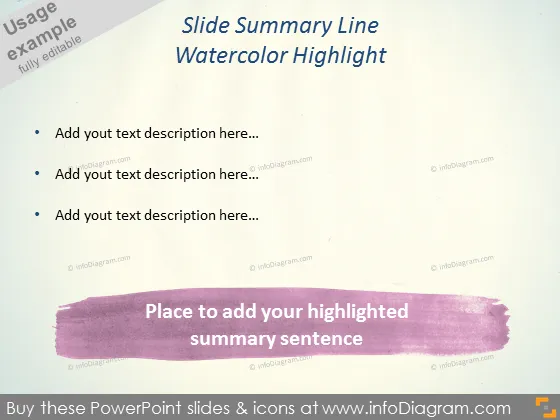
Slide Summary Line Watercolor Highlight
Slide Content
This PowerPoint slide is designed to summarize key points, featuring a watercolor highlight theme to draw attention to the main ideas. There are placeholders for adding text descriptions, where the presenter can elaborate on three key topics or bullet points. Each description is meant to be a concise explanation of a particular aspect of a presentation. Below the bullet points is a space reserved for a highlighted summary sentence, designed to underscore the primary takeaway or conclusion.
Graphical Look
- The slide has a minimalist design with ample whitespace for clarity.
- A large watercolor brushstroke accentuates the bottom section, providing visual interest and an area for emphasis.
- Three bullet points at the top half designate spaces for textual information, each preceded by a round bullet icon.
- The title is prominently displayed at the top, set against a slightly darker background for contrast.
- Soft, gradient-like textures appear in the background, enhancing the overall aesthetic without distracting from the content.
The slide's overall appearance is modern and artistic, with the watercolor element adding a creative touch. The design is simple, ensuring that the content remains the focal point for the audience.
Use Cases
- Summarizing key takeaways at the end of a presentation section.
- Highlighting critical points during a workshop to reinforce learning.
- Displaying concluding remarks at the end of a business meeting or report.
- Using the design for creative industries' presentations to reflect an artistic or innovative brand image.
How to Edit
How to edit text & colors

How to expand / shorten diagram

How to Replace Icons in infoDiagram PPT


