Reviews
Sus gráficos añaden un toque agradable a mis presentaciones y recientemente los usé para una de mis reuniones generales. Su conjunto de herramientas añade profesionalismo a mis diapositivas. En lugar de usar imágenes prediseñadas estándar.
Necesitaba un aspecto fresco para algunas de mis diapositivas. Había intentado encontrar una forma de crear un efecto de pincel, de subrayar, acentuar, añadir algo de color y los marcadores escritos a mano fueron justo lo que necesitaba. Muy fácil de usar, fácil de ajustar el tamaño, cambiar el color. Fue una solución asequible y perfecta, y estoy feliz de recomendarla.
El aspecto nítido y limpio de los gráficos, y el hecho de que me permitiera editar y cambiar fácilmente los colores para que coincidieran con la plantilla fue mi principal razón para comprarlos.
Description
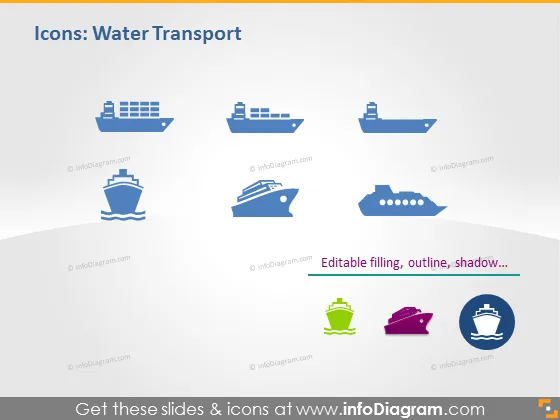
Icons: Water Transport
Slide Content
The slide titled "Icons: Water Transport" appears to showcase a collection of stylized icons representing various types of vessels and modes of water-based transportation. These icons include different shapes and types of ships and boats. Such representations might be used to symbolize shipping, logistics, naval, or leisure activities linked to water transport.
Graphical Look
- The slide background is a gradient of pale blue at the top transitioning to white at the bottom.
- There are eight icons evenly spaced across the slide, arranged in two rows.
- Each icon depicts a different type of watercraft, ranging from commercial ships to personal vessels.
- The icons are two-dimensional and have a flat design style with a limited color palette primarily in shades of blue, except for two icons which include green and purple.
- To the right of the lower row of icons, there is a text box with the words "Editable filling, outline, shadow..." suggesting the elements of the icons can be customized.
- The icons and text feature a drop shadow effect, giving them a slight three-dimensional appearance.
The slide has a clean and modern look, using a minimalist design that is easy on the eyes. The contrast between the icons and the gradient background is subtle, emphasizing clarity and simplicity.
Use Cases
- Presenting different shipping options in a logistics or supply chain management presentation.
- Explaining types of vessels in a maritime safety training or educational setting.
- Highlighting transportation services offered by a company in the travel or cruise industry.
- Using as visual aids in marketing materials for a company involved in marine manufacturing or sales.
How to Edit
How to edit text & colors

How to expand / shorten diagram

How to Replace Icons in infoDiagram PPT


