Reviews
Deine Folien sind meine 'geheime Zutat', wenn es darum geht, meine Ideen Kunden zu visualisieren. Ich spare so viel Zeit.
Ihre Folien führen oft zu guten Kommentaren und Ideen meines Teams, die die endgültigen Folien verbessern.
Description
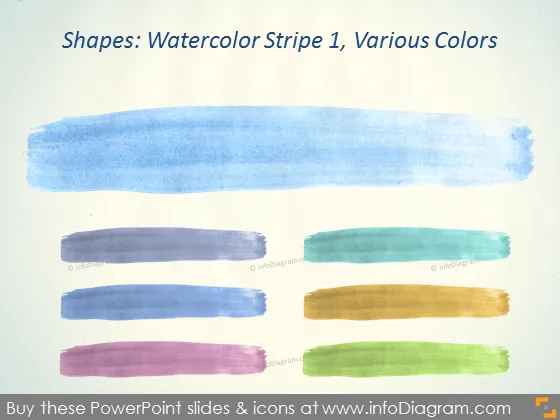
Shapes: Watercolor Stripe 1, Various Colors
Slide Content
The PowerPoint slide is titled "Shapes: Watercolor Stripe 1, Various Colors," indicating that it is likely part of a series focused on watercolor shapes. It features five horizontal stripes, each in a different color. The colors appear to represent a variety, possibly for use in different parts of a presentation to denote different themes or categories. The naming suggests that these stripes are just one type of watercolor shapes available.
Graphical Look
- The background of the slide looks like textured paper.
- Five horizontal striped shapes are arranged in the center of the slide, stacked vertically with a slight overlap.
- The textural detail suggests they are meant to mimic the appearance of watercolor paint.
- Each stripe features a distinct color:
- The top stripe is blue, reflecting perhaps calmness or stability.
- The second stripe is a grayish-purple, representing neutrality or sophistication.
- The third stripe's color is teal, indicating perhaps freshness or tranquility.
- The fourth stripe is a mustard yellow, often associated with warmth or clarity.
- The bottom stripe is olive green, which might stand for growth or environmental aspects.
- The slide has a minimalist design, without any additional text aside from the title.
The slide has a simple and creative aesthetic, with the watercolor stripes adding an artistic touch. The varied colors serve both as a visual element and could potentially help in categorizing information in a presentation.
Use Cases
- To visually separate different topics or sections within a presentation.
- As background elements for quotes or statements to draw attention and add visual interest.
- In creative or artistic presentations to add texture and a handcrafted feel.
- As part of a branding presentation to showcase a variety of color options or themes.
How to Edit
How to edit text & colors

How to expand / shorten diagram

How to Replace Icons in infoDiagram PPT


