Reviews
Sus gráficos añaden un toque agradable a mis presentaciones y recientemente los usé para una de mis reuniones generales. Su conjunto de herramientas añade profesionalismo a mis diapositivas. En lugar de usar imágenes prediseñadas estándar.
Necesitaba un aspecto fresco para algunas de mis diapositivas. Había intentado encontrar una forma de crear un efecto de pincel, de subrayar, acentuar, añadir algo de color y los marcadores escritos a mano fueron justo lo que necesitaba. Muy fácil de usar, fácil de ajustar el tamaño, cambiar el color. Fue una solución asequible y perfecta, y estoy feliz de recomendarla.
El aspecto nítido y limpio de los gráficos, y el hecho de que me permitiera editar y cambiar fácilmente los colores para que coincidieran con la plantilla fue mi principal razón para comprarlos.
Description
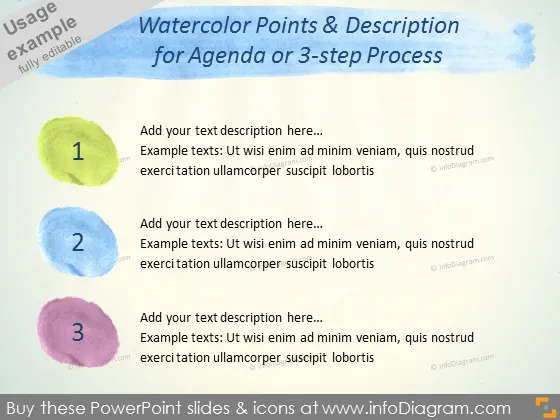
Watercolor Points & Description for Agenda or 3-step Process
Slide Content
The PowerPoint slide is titled "Watercolor Points & Description for Agenda or 3-step Process," and it appears designed to enumerate three key points or steps in a process. Each step is represented by a different watercolor circle with a number inside (1-3) and space next to it for a description. This layout suggests it's meant for the presenter to elaborate on three sequential parts of a plan, discussion points in a meeting agenda, or steps in a procedure, providing an easy-to-follow visual guide that coordinates each step with a brief explanatory text.
Graphical Look
- The slide background is a solid light color.
- Across the top of the slide is a blue watercolor brush stroke that serves as a header background.
- The slide title is overlaid on the blue brush stroke in a white, bold font.
- Benecentrally, three colored watercolor circles are aligned horizontally.
- Each circle contains a large white number, indicating the step sequence from 1 to 3.
- The first circle is yellow-green, the second is blue, and the third is purple.
- To the right of each circle is a placeholder text "Add your text description here..." with additional grey example text below.
- The example text is a lorem ipsum text replacing real content for demonstration purposes.
- The slide utilizes a mix of sans-serif fonts for titles and serif fonts for subtitle texts.
The overall look of the slide is bright and colorful with a casual, creative feel due to the watercolor elements. The simplicity of the layout makes it accessible and easy to understand.
Use Cases
- Presenting an agenda for a meeting with three main points to allow participants to follow along.
- Describing a process or workflow in three steps, making it clear and visually engaging.
- Summarizing the top three priorities or strategies in a business plan or proposal.
- Using in educational settings to highlight three key concepts or lessons in a visually appealing manner.
How to Edit
How to edit text & colors

How to expand / shorten diagram

How to Replace Icons in infoDiagram PPT


