Reviews
Sus gráficos añaden un toque agradable a mis presentaciones y recientemente los usé para una de mis reuniones generales. Su conjunto de herramientas añade profesionalismo a mis diapositivas. En lugar de usar imágenes prediseñadas estándar.
Necesitaba un aspecto fresco para algunas de mis diapositivas. Había intentado encontrar una forma de crear un efecto de pincel, de subrayar, acentuar, añadir algo de color y los marcadores escritos a mano fueron justo lo que necesitaba. Muy fácil de usar, fácil de ajustar el tamaño, cambiar el color. Fue una solución asequible y perfecta, y estoy feliz de recomendarla.
El aspecto nítido y limpio de los gráficos, y el hecho de que me permitiera editar y cambiar fácilmente los colores para que coincidieran con la plantilla fue mi principal razón para comprarlos.
Description
Sample text
Slide Content
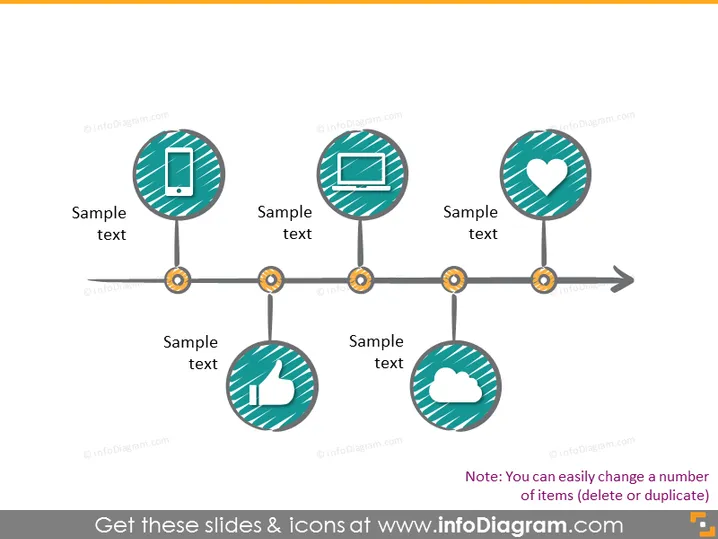
The PowerPoint slide seems to depict a timeline or process flow with five steps, each represented by a circular icon connected through a horizontal line with intermittent gears. These icons contain symbols that suggest a technological or social media theme: a mobile phone, a desktop computer, a heart, a thumbs-up, and a cloud. Each icon is accompanied by placeholder text labeled "Sample text," indicating where descriptions or titles for each step can be added.
Graphical Look
- A muted yellow-to-grey gradient background provides a subtle backdrop to the content.
- Five circular icons with a striped teal and white pattern are evenly spaced across the slide.
- Each icon features a graphic representing technology or engagement: a smartphone, a monitor, a heart symbol, a thumbs-up, and a cloud.
- The icons are connected by a horizontal line that includes stylized gears at each junction point, possibly implying a progression or mechanical process.
- A directional arrowhead at the end of the connecting line indicates a forward motion or continuation.
- Below each icon, there is a text caption "Sample text" in a simple sans-serif font, suggesting customization based on presentation context.
The overall look of the slide is modern and clean, with a technology-oriented theme. The use of gears and a directional arrow conveys a sense of motion or progression.
Use Cases
- Illustrating the stages of a project or product development within a tech company.
- Demonstrating steps in a social media strategy or digital marketing campaign.
- Explaining the process flow of an app or software feature implementation.
- Representing customer journey touchpoints in an online service or e-commerce platform.
How to Edit
How to edit text & colors

How to expand / shorten diagram

How to Replace Icons in infoDiagram PPT


