

Your graphics add a nice touch to my presentations and I recently used them for one of my all-hands meetings. Your toolbox adds professionalism to my slides. Instead of using standard clipart.
Claude Jones, Director of Engineer, @Walmartlabs, USA

Your graphics add a nice touch to my presentations and I recently used them for one of my all-hands meetings. Your toolbox adds professionalism to my slides. Instead of using standard clipart.
Claude Jones, Director of Engineer, @Walmartlabs, USA
I needed a fresh look at some of my slides. I've tried to find a way to create a paintbrush effect, to underline, accentuate, add some color and the handwritten markers were just the things. Very easy to use, easy to size, change the color. It was an affordable, perfect solution and I'm happy to recommend it.
Anonymous, US
The crisp, clean look of the graphics, and the fact that it allowed me to easily edit and change the colors to match the template was my main reason for purchasing them.
Brandie Jenkins, E-learning Developer, USA
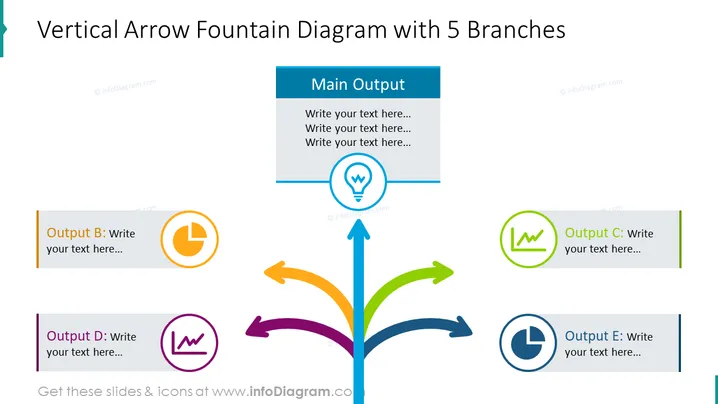
The slide depicts a "Vertical Arrow Fountain Diagram with 5 Branches" that illustrates a central idea branching out into five different outcomes or processes. Each branch is marked with a different color and accompanied by an emblematic icon to symbolize specific attributes or steps. The central branch directly above the main arrow signifies the "Main Output," and it contains a light bulb icon suggesting an idea or solution, while the branches on either side represent various outputs (B, C, D, E), each with a space for additional text and their respective icons (a clock, a chart, a 'lw' symbol, and a reset icon), hinting at concepts like time, data analysis, brand identity, and renewal or repetition.
The slide has a clean and professional look, using color-coded elements and simple icons to organize information efficiently. The symmetrical design helps to visually balance the content and guide the viewer's focus to the central idea.



