Reviews
Sus gráficos añaden un toque agradable a mis presentaciones y recientemente los usé para una de mis reuniones generales. Su conjunto de herramientas añade profesionalismo a mis diapositivas. En lugar de usar imágenes prediseñadas estándar.
Necesitaba un aspecto fresco para algunas de mis diapositivas. Había intentado encontrar una forma de crear un efecto de pincel, de subrayar, acentuar, añadir algo de color y los marcadores escritos a mano fueron justo lo que necesitaba. Muy fácil de usar, fácil de ajustar el tamaño, cambiar el color. Fue una solución asequible y perfecta, y estoy feliz de recomendarla.
El aspecto nítido y limpio de los gráficos, y el hecho de que me permitiera editar y cambiar fácilmente los colores para que coincidieran con la plantilla fue mi principal razón para comprarlos.
Description
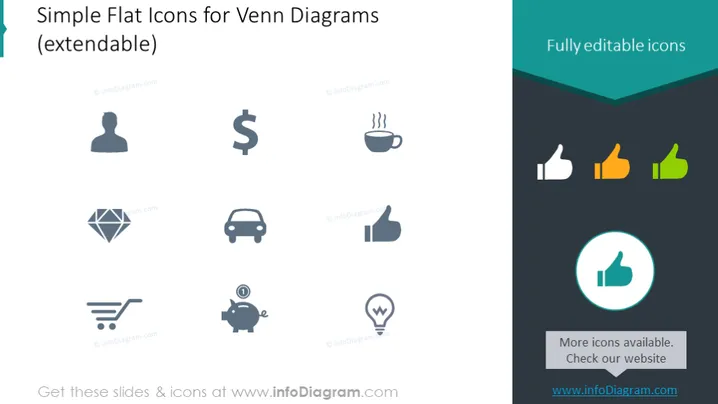
Simple Flat Icons for Venn Diagrams (extendable)
Slide Content
The PowerPoint slide titled "Simple Flat Icons for Venn Diagrams (extendable)" displays a collection of graphical icons designed to be used in presentations, particularly within Venn Diagrams. These icons include a user profile, dollar sign, cup of coffee, diamond, car, shopping cart, piggy bank, thumbs-up, and a light bulb. Each of these symbols represents different concepts—like people, finance, leisure, luxury, transportation, commerce, savings, approval, and ideas—providing a visual means for viewers to quickly grasp the topic at hand.
Graphical Look
- The slide features nine icons arranged in three rows of three.
- The icons are monochromatic with different shades of blue, except for the thumbs-up icons which are colored in yellow, green, and teal.
- To the right of the icons, there's a circular highlighted thumbs-up icon in a larger format, enclosed in a teal circle.
- The background of the slide is white which contrasts with the icons and the dark teal header.
- The header has an inverted triangular cut that gives it a distinctive look.
- Font used for the text is clean and modern.
- There's a small text block indicating that more icons are available and directing viewers to check the website for more.
The overall look of the slide is sleek and professional, with a clear focus on the icons which are presented in a minimalist style to maintain clarity and ease of understanding.
Use Cases
- Illustrating various topics or concepts in a business presentation in a visually engaging manner.
- Enhancing Venn Diagrams in reports or slide decks to depict relationships between different business elements.
- Creating infographics for marketing materials that require visual representations of services or features.
- Using in educational settings where visual aids are needed to explain concepts across multiple disciplines.
How to Edit
How to edit text & colors

How to expand / shorten diagram

How to Replace Icons in infoDiagram PPT


