Reviews
Your graphics add a nice touch to my presentations and I recently used them for one of my all-hands meetings. Your toolbox adds professionalism to my slides. Instead of using standard clipart.
I needed a fresh look at some of my slides. I've tried to find a way to create a paintbrush effect, to underline, accentuate, add some color and the handwritten markers were just the things. Very easy to use, easy to size, change the color. It was an affordable, perfect solution and I'm happy to recommend it.
The crisp, clean look of the graphics, and the fact that it allowed me to easily edit and change the colors to match the template was my main reason for purchasing them.
Description
Valuable Segment D Strategy
Slide Content
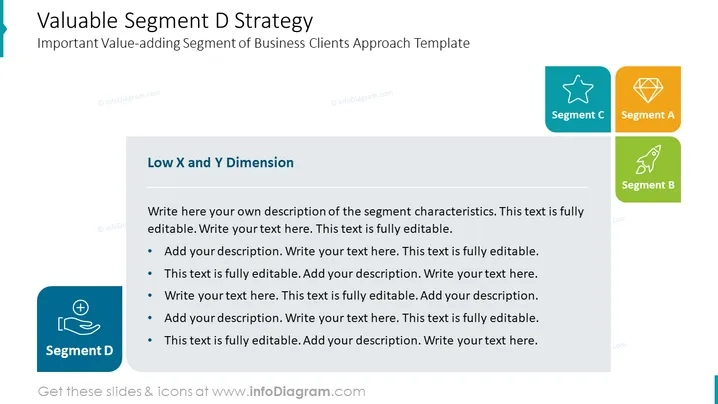
The slide titled "Valuable Segment D Strategy" is centered around the strategy for an important business client segment. It contains customizable text areas to describe the specifics of "Segment D," including its characteristics and the approach template. The use of "Low X and Y Dimension" suggests that Segment D may be defined by lower metrics in certain dimensions or criteria. The bullet points prompt the presenter to add additional detailed descriptions which will flesh out the understanding of this segment.
Graphical Look
- The slide background is white, providing a clean and neutral canvas for the content.
- A large title at the top of the slide, "Valuable Segment D Strategy," is in dark text.
- There is a subtitle below the main title, "Important Value-adding Segment of Business Clients Approach Template," in a smaller font.
- To the left, there is a large icon representing "Segment D," highlighted in blue with a plus icon and medical imagery, suggesting a focus on health or growth.
- Three smaller icons, each with a different color (turquoise, orange, and green) and symbol (star, diamond, and rocket), represent "Segment C," "Segment A," and "Segment B" respectively.
- A gray text box with a subheading "Low X and Y Dimension" contains placeholder text and bullet points, indicating areas for the presenter to customize with their own content.
- The graphical design employs rounded rectangles and minimalistic icons for a modern, professional look.
The slide's overall design is professional and modern, with a clear emphasis on Segment D through color contrast and size hierarchy. It uses flat design icons and shapes, which are popular in contemporary presentation design.
Use Cases
- Presenting a business strategy in which different client segments are being targeted and analyzing their respective characteristics.
- In a management meeting to discuss the prioritization of client segments based on specific dimensions like profitability, growth, or risk.
- During a marketing presentation to outline approaches for engaging with different market segments characterized by lower scores in given metrics.
- To use in educational settings to illustrate the concept of market segmentation and strategic planning within a business or marketing curriculum.
How to Edit
How to edit text & colors

How to expand / shorten diagram

How to Replace Icons in infoDiagram PPT


