Reviews
Ihre Grafiken verleihen meinen Präsentationen eine nette Note, und ich habe sie kürzlich für eines meiner All-Hands-Meetings verwendet. Ihre Toolbox verleiht meinen Folien Professionalität, anstatt Standard-Clipart zu verwenden.
Ich brauchte einen neuen Blick auf einige meiner Folien. Ich habe versucht, einen Weg zu finden, einen Pinselschlag-Effekt zu erzielen, um zu unterstreichen, hervorzuheben, Farbe hinzuzufügen, und die handgeschriebenen Markierungen waren genau das Richtige. Sehr einfach zu bedienen, leicht in der Größe zu ändern, die Farbe zu ändern. Es war eine erschwingliche, perfekte Lösung und ich empfehle sie gerne weiter.
Die klare, saubere Optik der Grafiken und die Tatsache, dass ich die Farben leicht bearbeiten und an die Vorlage anpassen konnte, war mein Hauptgrund für den Kauf.
Description
Illustrating Influence Regions
Slide Content
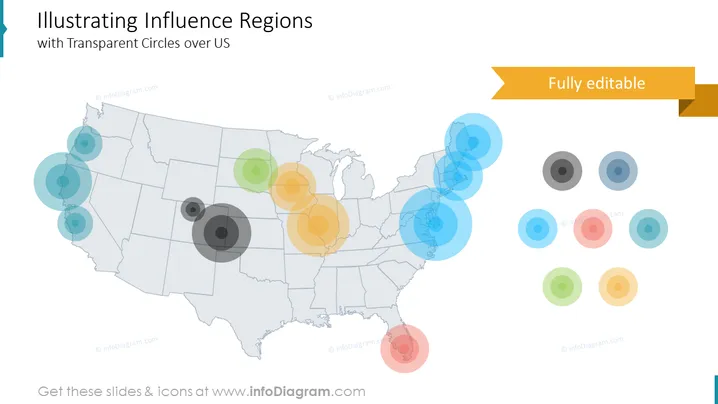
The PowerPoint slide presents a concept titled "Illustrating Influence Regions with Transparent Circles over US," depicting various degrees of influence across different regions of the United States through a series of overlapping transparent circles. The circles' varying sizes likely represent the different magnitudes or intensity of influence, with larger circles denoting more significant influence and smaller circles indicating lesser influence. Each cluster of circles may correlate to a specific topic or metric, communicating how influence spreads geographically.
Graphical Look
- A grey outline map of the United States serves as the base layer of the image.
- Overlaid on the map are various transparent circles in different sizes and colors, suggesting different areas and degrees of influence.
- Colors of the circles range from shades of blue, green, orange, and red, using different opacity levels creating a layering effect.
- There is a collection of additional circles arranged off to the right side of the US map, seemingly as a legend or a symbolic representation of data points.
- The slide has a clean, modern design with a white background and a flat graphic style.
- In the upper-right corner of the slide is a ribbon-style banner with the text "Fully editable."
- There are no additional forms of text, bullet points, or decoration on the slide.
The slide has a minimalist and professional feel with its use of transparency and color to represent complex data in a visually accessible manner. The composition effectively draws attention to regions of interest without overwhelming the viewer with excessive detail or text.
Use Cases
- To display geographic distribution of market share or consumer reach in certain parts of the country.
- In a business strategy presentation to visualize the regional impact of marketing campaigns or other initiatives.
- During an academic conference to illustrate research findings on social or political influence across different US regions.
- In a public policy proposal to demonstrate areas that may require more attention or resources based on represented influence or concern.
How to Edit
How to edit text & colors

How to expand / shorten diagram

How to Replace Icons in infoDiagram PPT


