Reviews
Your graphics add a nice touch to my presentations and I recently used them for one of my all-hands meetings. Your toolbox adds professionalism to my slides. Instead of using standard clipart.
I needed a fresh look at some of my slides. I've tried to find a way to create a paintbrush effect, to underline, accentuate, add some color and the handwritten markers were just the things. Very easy to use, easy to size, change the color. It was an affordable, perfect solution and I'm happy to recommend it.
The crisp, clean look of the graphics, and the fact that it allowed me to easily edit and change the colors to match the template was my main reason for purchasing them.
Description
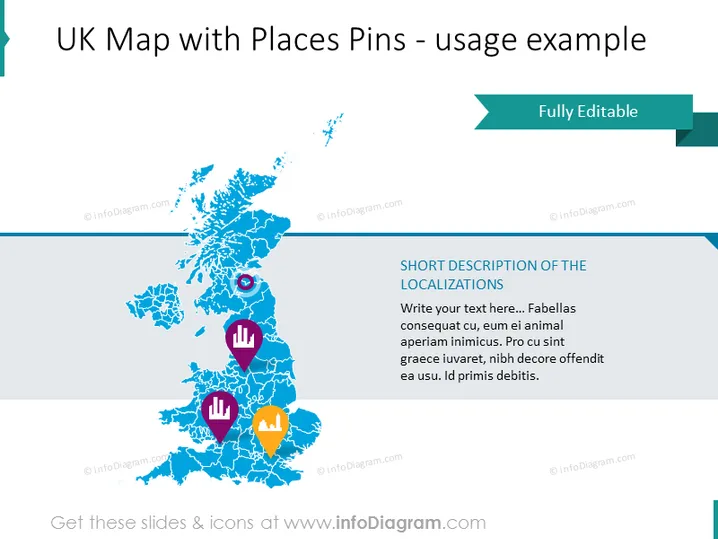
UK Map with Places Pins - usage example
Slide Content
This slide presents an example of a UK map with various colorful place pins to mark different locations. Each pin is accompanied by an icon representing a particular category or type of place, such as commercial, historical, or natural sites. The purpose of the place pins is to provide a visual representation of key locations or points of interest, which can further be described by utilizing the text placeholder titled "SHORT DESCRIPTION OF THE LOCALIZATIONS." The placeholder text suggests adding detailed information about each pin's relevance or significance.
Graphical Look
- The central feature of the slide is a stylized blue map of the United Kingdom, with geographic details like country borders and major islands.
- Overlaying the map are several place pins in different colors (red, purple, and yellow), each with a distinct icon (an eye, bar chart, and tree).
- To the right, a large teal banner reads "Fully Editable," with an arrow pointing towards the map, indicating that components of the slide can be customized.
- On the bottom right, there's a text area with a placeholder for a "SHORT DESCRIPTION OF THE LOCALIZATIONS" against a white background.
- The overall color palette includes shades of blue, teal, red, purple, and yellow.
The slide has a clean, professional look with a well-organized layout. The visual elements such as color-coded pins and icons help in quickly conveying information about location types or categories.
Use Cases
- Presenting business locations or branches across the UK for internal company meetings or investor presentations.
- Highlighting tourist attractions or historical sites in travel and tourism marketing materials.
- Visualizing market research data, such as customer distribution or regional sales performance.
- Describing locations of upcoming events or projects for planning purposes in various industries such as construction or event management.
How to Edit
How to edit text & colors

How to expand / shorten diagram

How to Replace Icons in infoDiagram PPT


