Reviews
Vos graphiques ajoutent une belle touche à mes présentations et je les ai récemment utilisés pour l'une de mes réunions générales. Votre boîte à outils ajoute du professionnalisme à mes diapositives. Au lieu d'utiliser des cliparts standards.
J'avais besoin d'un nouveau regard sur certaines de mes diapositives. J'ai essayé de trouver un moyen de créer un effet de pinceau, de souligner, d'accentuer, d'ajouter de la couleur et les marqueurs manuscrits étaient exactement ce qu'il fallait. Très facile à utiliser, facile à ajuster la taille, à changer la couleur. C'était une solution abordable et parfaite et je suis heureux de la recommander.
L'aspect net et épuré des graphiques, et le fait qu'il m'ait permis d'éditer et de changer facilement les couleurs pour les adapter au modèle, ont été les principales raisons de mon achat.
Description
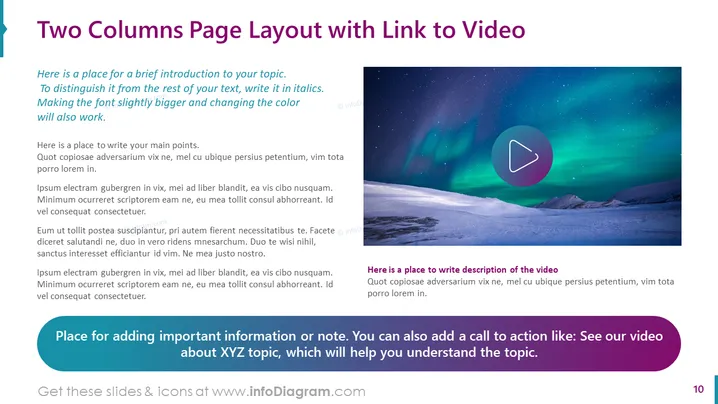
Two Columns Page Layout with Link to Video
Slide Content: The PowerPoint slide is titled "Two Columns Page Layout with Link to Video," indicating a structure for presenting content alongside a multimedia element. The left column offers space for a brief introduction in italics to make it stand out and main points below, ideal for detailed exposition or argument development. The right column displays a placeholder image with a play button, suggesting an embedded video or a link to one, with an area underneath for a description of the video content. At the bottom, a highlighted section is designated for additional important information or a call to action, which can enhance viewer engagement with the presented topic.
Graphical Look:
- The slide features a two-column layout with distinct sections for text and visuals.
- The title is prominent, set in large, bold typeface against a lighter background for contrast.
- The left column contains placeholder text demonstrating where to introduce the topic and list main points.
- The right column showcases a large, static image representing a video link with a semi-transparent play button overlay centered on the image.
- Below the image, there is a small textbox for the video description.
- A stylized ribbon banner at the bottom serves as a special section for important notes or calls to action.
- The color scheme comprises a blend of purples and blues, with colorful text and icons for emphasis and aesthetics.
The overall look of the slide is modern and clean, with a well-organized structure facilitating an engaging presentation of both textual and multimedia content. The use of color and space is effective in guiding the viewer's attention through the different elements of the slide.
Use Cases:
- Introducing a new topic or product, with the video serving as a visual demonstration or introduction.
- Summarizing key project findings and linking to a detailed video report or case study.
- Enhancing training or instructional presentations by combining textual information with a supportive video tutorial.
- Marketing or sales presentations to showcase a featured product and provide a direct visual experience through an associated promotional video.
How to Edit
How to edit text & colors

How to expand / shorten diagram

How to Replace Icons in infoDiagram PPT


