Reviews
Ihre Grafiken verleihen meinen Präsentationen eine nette Note, und ich habe sie kürzlich für eines meiner All-Hands-Meetings verwendet. Ihre Toolbox verleiht meinen Folien Professionalität, anstatt Standard-Clipart zu verwenden.
Ich brauchte einen neuen Blick auf einige meiner Folien. Ich habe versucht, einen Weg zu finden, einen Pinselschlag-Effekt zu erzielen, um zu unterstreichen, hervorzuheben, Farbe hinzuzufügen, und die handgeschriebenen Markierungen waren genau das Richtige. Sehr einfach zu bedienen, leicht in der Größe zu ändern, die Farbe zu ändern. Es war eine erschwingliche, perfekte Lösung und ich empfehle sie gerne weiter.
Die klare, saubere Optik der Grafiken und die Tatsache, dass ich die Farben leicht bearbeiten und an die Vorlage anpassen konnte, war mein Hauptgrund für den Kauf.
Description
Content of Triple Bottom Line (TBL) Business Strategy Deck
This PowerPoint slide offers an in-depth look at the Triple Bottom Line (TBL) strategy, which stresses the need to balance social, environmental, and economic factors for sustainable business success. It effectively presents TBL's components and implementation challenges, making it valuable for CSR, sustainability, and ethical business presentations.
What Does This Content of Triple Bottom Line (TBL) Business Strategy Deck Slide Include?
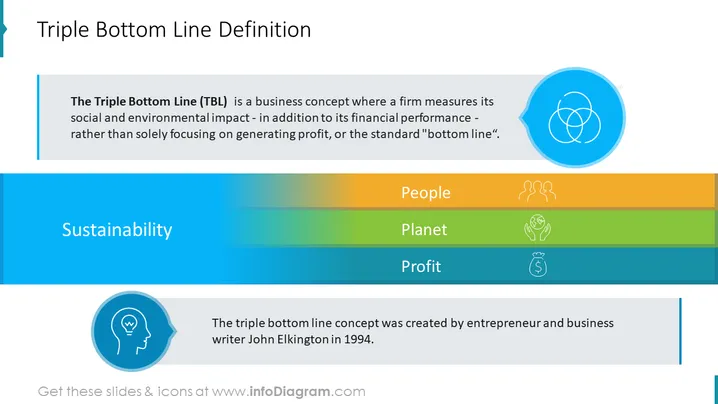
- Three distinct sections with icons and descriptive headings to represent the three pillars of TBL: Social - - Sustainability (People), Environmental Sustainability (Planet), and Economical Sustainability (Profit)
- A concise definition of the Triple Bottom Line Concept
- A consistent color scheme of blue, green, and orange to represent the three pillars of TBL
- A simple and clean layout with ample white space for easy readability
- Outline icons of sustainability, people, group, team, protection, environment, money, profit, income, idea
This Content of Triple Bottom Line (TBL) Business Strategy Deck Slide is a part of our Triple Bottom Line Sustainable Business Strategy PPT Template.
How to Edit
How to edit text & colors

How to expand / shorten diagram

How to Replace Icons in infoDiagram PPT


