Reviews
Your graphics add a nice touch to my presentations and I recently used them for one of my all-hands meetings. Your toolbox adds professionalism to my slides. Instead of using standard clipart.
I needed a fresh look at some of my slides. I've tried to find a way to create a paintbrush effect, to underline, accentuate, add some color and the handwritten markers were just the things. Very easy to use, easy to size, change the color. It was an affordable, perfect solution and I'm happy to recommend it.
The crisp, clean look of the graphics, and the fact that it allowed me to easily edit and change the colors to match the template was my main reason for purchasing them.
Description
Triangle of Circles List - 3 Elements
Slide Content
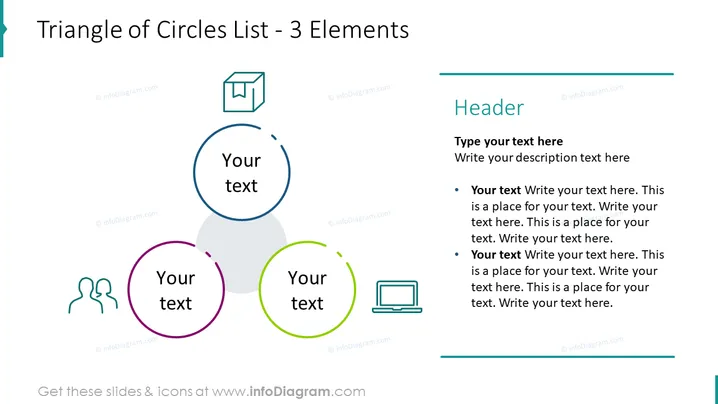
The PowerPoint slide titled "Triangle of Circles List - 3 Elements" presents a graphical representation of a list with three key points. Each point is denoted by a circle containing an icon and space for text, arranged in a triangular formation. The icons symbolize communication, data storage, and technology. Alongside the graphic, there's a text box meant for a heading, a subheading, and additional descriptive bullet points, which suggests that each circle in the graphic can correspond to the bullet point details provided.
Graphical Look
- A large title at the top in bold, dark text.
- Three circles of varying sizes and colors (blue, green, and purple) arranged in a triangular shape in the center of the slide.
- The blue circle at the top with a speech bubble icon signifies communication.
- The green circle on the bottom right with a laptop icon symbolizes technology or computing.
- The purple circle on the bottom left with an open box icon represents data storage or packaging.
- A rectangular text box on the right side, aligned with the title, featuring a header and bullet points for detailed text.
- Each circle contains the placeholder text "Your text" in a large, legible font.
- Thin lines connect the circles subtly, showing the relationship between the elements.
The slide has a clean and modern design with a clear hierarchy, emphasizing the connections between the three elements. The use of icons and color-coding aids in visual differentiation and topic association.
Use Cases
- To depict a strategic relationship between three core business concepts or departments.
- To illustrate steps in a process that has a cyclical or interdependent nature.
- For presenting key areas of focus in a project plan or company overview.
- As an agenda slide summarizing the three main topics to be discussed in a presentation.
How to Edit
How to edit text & colors

How to expand / shorten diagram

How to Replace Icons in infoDiagram PPT


