Reviews
Your graphics add a nice touch to my presentations and I recently used them for one of my all-hands meetings. Your toolbox adds professionalism to my slides. Instead of using standard clipart.
I needed a fresh look at some of my slides. I've tried to find a way to create a paintbrush effect, to underline, accentuate, add some color and the handwritten markers were just the things. Very easy to use, easy to size, change the color. It was an affordable, perfect solution and I'm happy to recommend it.
The crisp, clean look of the graphics, and the fact that it allowed me to easily edit and change the colors to match the template was my main reason for purchasing them.
Description
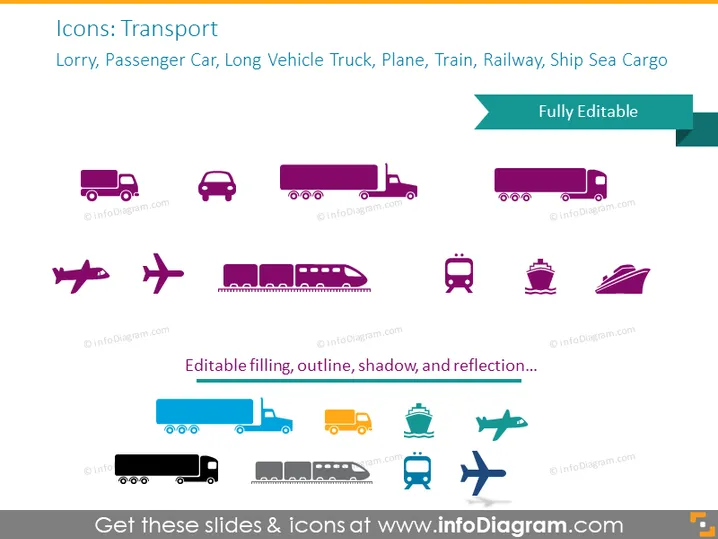
Icons: Transport
Slide Content
The slide presents a collection of colorful transport icons covering a range of modes including a Lorry, Passenger Car, Long Vehicle Truck, Plane, Train, Railway, and Ship Sea Cargo. These icons can clarify logistics concepts, illustrate transportation methods, or enhance communication about travel and shipping. The word "Fully Editable" indicates that the icons can be customized.
Graphical Look
- The slide background is white, providing a neutral canvas for the icons.
- Colored icons are arranged in three rows.
- The first row includes a pink Lorry, a dark purple Passenger Car, and a Long Vehicle Truck with a cargo container.
- The second row features a dark purple airplane followed by a light purple icon depicting both departure and arrival airplanes, and a Train in the same color.
- The last icon in the second row is a Railway icon in dark purple, followed by a Ship Sea Cargo icon.
- The third row repeats the first row's icons but in different color variations: blue and shades of teal and green.
- A banner in the upper right corner with the text "Fully Editable" overlaps the icons partially.
- The icons are simple, with a flat design and some with shadow effects to create depth.
The graphical layout is simple and clean, emphasizing clarity and ease of understanding. The icons are stylistically uniform, which creates a cohesive and professional appearance.
Use Cases
- To visualize different transportation options in a logistic company's presentation.
- For illustrating transport modes in travel or tourism industry slideshows.
- To enhance educational material related to transportation and infrastructure.
- In strategic planning meetings to discuss distribution and supply chain networks.
How to Edit
How to edit text & colors

How to expand / shorten diagram

How to Replace Icons in infoDiagram PPT


