Reviews
Your graphics add a nice touch to my presentations and I recently used them for one of my all-hands meetings. Your toolbox adds professionalism to my slides. Instead of using standard clipart.
I needed a fresh look at some of my slides. I've tried to find a way to create a paintbrush effect, to underline, accentuate, add some color and the handwritten markers were just the things. Very easy to use, easy to size, change the color. It was an affordable, perfect solution and I'm happy to recommend it.
The crisp, clean look of the graphics, and the fact that it allowed me to easily edit and change the colors to match the template was my main reason for purchasing them.
Description
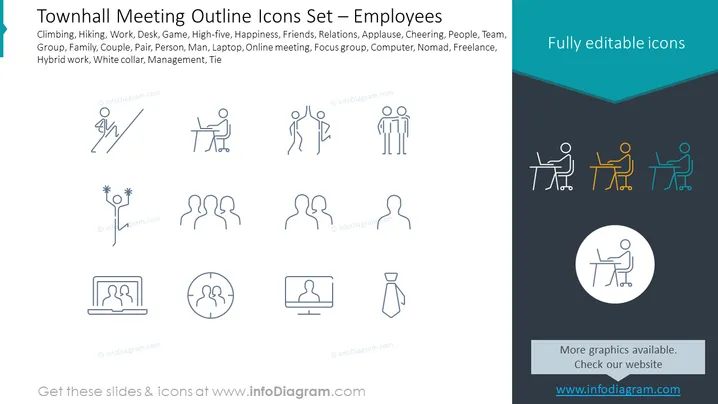
Townhall Meeting Outline Icons Set – Employees
Slide Content: The slide presents a set of outline icons related to employees and working environments, indicating activities like Climbing and Hiking, professional situations such as Work, Desk, and Game, interpersonal interactions including High-five, Happiness, and Friends, modes of work like Laptop, Online meeting, and Hybrid work, and organizational roles signified by Management and Tie. Each icon corresponds to a term listed above it, showing a stylized figure engaged in various activities or representing different concepts.
Graphical Look:
- The slide's background is split diagonally, with the upper portion in light grey and the bottom in dark navy blue.
- Each icon pairs with a term that describes it; the icons are uniformly styled, thin-line graphics depicting people in various actions and roles.
- Four colorful icons on the dark navy section stand out against the monochrome icons; they are presented in blue, orange, and green.
- An additional, larger icon is centered at the bottom in a white circle on the dark navy background.
- Heading is in a bold, teal-colored font that contrasts with the rest of the slide's monochrome palette.
- Icons are simple, without unnecessary detail, effectively communicating the concepts through minimalist design.
The overall look of the slide is clean and professional, with a color palette that uses teal, grey, and navy blue to create a corporate-friendly look. The minimalist icons are arranged neatly, enhancing readability and allowing for immediate recognition of the concepts they represent.
Use Cases:
- To introduce topics in a townhall meeting agenda, using the icons as visual cues for each discussion point.
- In employee training modules, where icons serve to break down various work environment themes.
- As part of a company's internal communication materials to visually represent different team roles and functions.
- To enhance presentation slides in human resources training about work-life balance, remote work setups, and office culture.
How to Edit
How to edit text & colors

How to expand / shorten diagram

How to Replace Icons in infoDiagram PPT


