Reviews
Sus gráficos añaden un toque agradable a mis presentaciones y recientemente los usé para una de mis reuniones generales. Su conjunto de herramientas añade profesionalismo a mis diapositivas. En lugar de usar imágenes prediseñadas estándar.
Necesitaba un aspecto fresco para algunas de mis diapositivas. Había intentado encontrar una forma de crear un efecto de pincel, de subrayar, acentuar, añadir algo de color y los marcadores escritos a mano fueron justo lo que necesitaba. Muy fácil de usar, fácil de ajustar el tamaño, cambiar el color. Fue una solución asequible y perfecta, y estoy feliz de recomendarla.
El aspecto nítido y limpio de los gráficos, y el hecho de que me permitiera editar y cambiar fácilmente los colores para que coincidieran con la plantilla fue mi principal razón para comprarlos.
Description
Title Slide with Place for Logo
Slide Content:
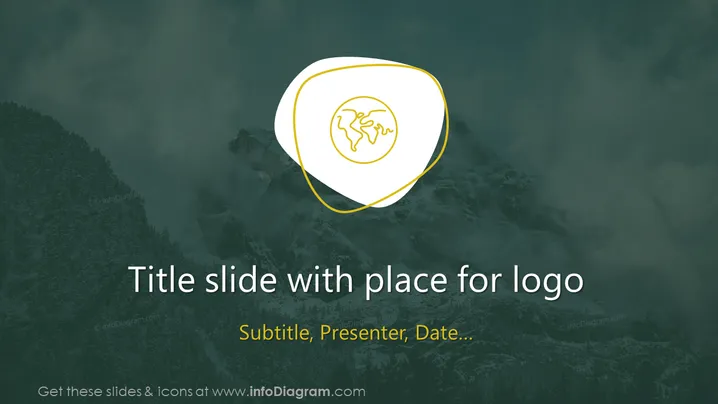
The PowerPoint slide displayed appears to be a title slide template with a designated area for a logo. It is labeled "Title slide with place for logo" and includes placeholders for a "Subtitle, Presenter, Date..." There are no specific topics or content provided beyond these placeholders, indicating that this is a customizable template meant for general use.
Graphical Look:
- The background features a moody, darkened image of mountainous terrain.
- A large shield-shaped frame sits prominently in the center, with a dual outline of white and yellow.
- Inside the frame, there is a circular icon with a simplified globe design.
Overall, the slide has a professional and sleek design with a stark contrast between the bright text and the darker background. The use of a shield and globe icon suggests themes of security, global reach, or protection.
Use Cases:
- As an introductory slide for corporate presentations to establish branding.
- During conferences or seminars to introduce the topic and the speaker.
- In pitch decks for startups to make a strong, visual first impression.
- For academic lectures or workshops to provide a concise overview of the presentation.
How to Edit
How to edit text & colors

How to expand / shorten diagram

How to Replace Icons in infoDiagram PPT


