Reviews
Your graphics add a nice touch to my presentations and I recently used them for one of my all-hands meetings. Your toolbox adds professionalism to my slides. Instead of using standard clipart.
I needed a fresh look at some of my slides. I've tried to find a way to create a paintbrush effect, to underline, accentuate, add some color and the handwritten markers were just the things. Very easy to use, easy to size, change the color. It was an affordable, perfect solution and I'm happy to recommend it.
The crisp, clean look of the graphics, and the fact that it allowed me to easily edit and change the colors to match the template was my main reason for purchasing them.
Description
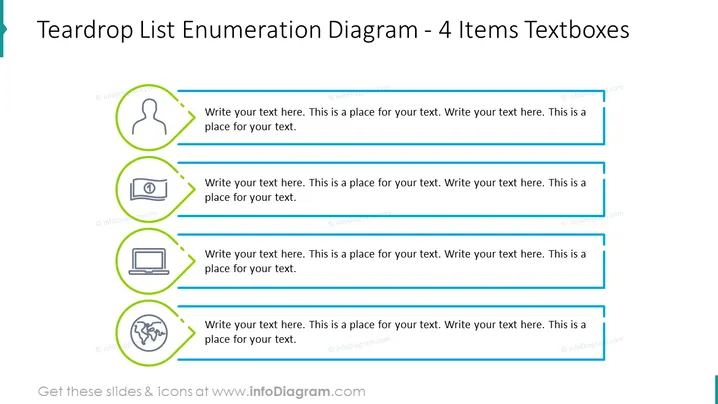
Teardrop List Enumeration Diagram - 4 Items Textboxes
Slide Content
The slide presents a "Teardrop List Enumeration Diagram" consisting of 4 items with associated textboxes. Each item seems designed to structure information in a clear, hierarchical manner:
- An icon of a person's silhouette is accompanied by a large textbox for an in-depth description, possibly representing a user profile or human aspect.
- A money bill icon suggests a financial element, inviting an explanation or financial data input in the adjacent textbox.
- A laptop icon is indicative of technology or digital topics to be expounded upon in the provided writing space.
- Lastly, a globe with network connections is depicted, implying global or internet-related content that can be detailed in the final textbox.
Graphical Look
- The slide has a clean white background with a teardrop-shaped design element in teal on the upper left corner.
- Four horizontal, lined-up elements, each with a unique icon encircled in a green teardrop-shaped ring, followed by a horizontal blue line.
- Each icon indicates a different concept; a person, money bill, laptop, and networked globe.
- Beside each icon and blue line, there's a large light grey textbox with placeholder text for custom content.
The slide has a modern, professional design with a clear color-coded system that visually separates each concept.
Use Cases
- To outline team member roles or responsibilities in a company or project presentation.
- To enumerate key financial metrics or budget items in a business meeting.
- To showcase different aspects of a digital strategy, including technology deployment or software uses.
- To describe global operations, international reach, or network infrastructure in a corporate strategy session.
How to Edit
How to edit text & colors

How to expand / shorten diagram

How to Replace Icons in infoDiagram PPT


