Reviews
Sus gráficos añaden un toque agradable a mis presentaciones y recientemente los usé para una de mis reuniones generales. Su conjunto de herramientas añade profesionalismo a mis diapositivas. En lugar de usar imágenes prediseñadas estándar.
Necesitaba un aspecto fresco para algunas de mis diapositivas. Había intentado encontrar una forma de crear un efecto de pincel, de subrayar, acentuar, añadir algo de color y los marcadores escritos a mano fueron justo lo que necesitaba. Muy fácil de usar, fácil de ajustar el tamaño, cambiar el color. Fue una solución asequible y perfecta, y estoy feliz de recomendarla.
El aspecto nítido y limpio de los gráficos, y el hecho de que me permitiera editar y cambiar fácilmente los colores para que coincidieran con la plantilla fue mi principal razón para comprarlos.
Description
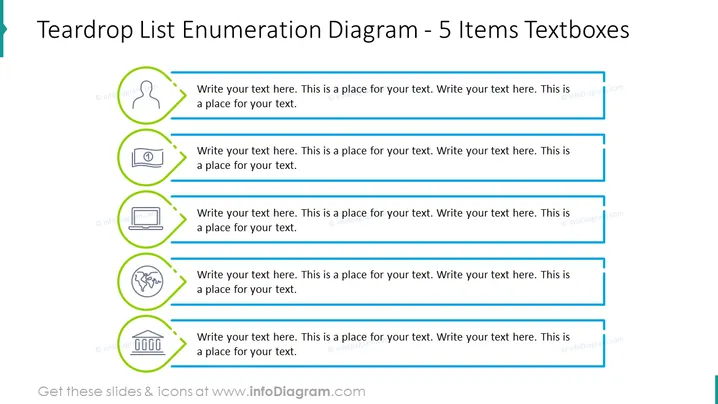
Teardrop List Enumeration Diagram - 5 Items Textboxes
Slide Content
The slide presents a Teardrop List Enumeration Diagram with five items, each featuring a unique icon within a circular teardrop-shaped outline followed by an elongated textbox for custom text input. These items are likely intended to enumerate steps, options, or components in a sequence or list, offering a visual distinction through the icons which can help to convey specific points succinctly. The icons depicted from top to bottom include a human silhouette, a book, a laptop, a globe, and a circular gauge, each illustrating a different concept or category that could be detailed by the presenter.
Graphical Look
- Teardrop-shaped, lime green outline encircling each icon, implying a progressional step or significant point in a list.
- Five individual icons, visually distinct, providing a placeholder for context-specific information.
- Elongated textboxes, aqua-colored, extend from each teardrop shape, intended for descriptive text.
- A thin blue divider between the textboxes, maintaining separation and aiding visual organization.
- The slide's background is white, promoting readability and minimizing distraction.
- All icons and textboxes are aligned vertically down the center of the slide, offering a structured and balanced aesthetic.
The slide is clean and professional, using minimalistic design elements to ensure clarity and focus on the content. The alignment and repetition of shapes create a sense of organization and flow.
Use Cases
- Outlining key points in a business strategy or proposal, where each teardrop represents a separate strategic element.
- Detailing the steps in a process or workflow with clear visual distinction through icons.
- Presenting various features or benefits of a product in marketing materials.
- Summarizing different aspects or components of a research topic in an educational presentation.
How to Edit
How to edit text & colors

How to expand / shorten diagram

How to Replace Icons in infoDiagram PPT


