Reviews
Sus gráficos añaden un toque agradable a mis presentaciones y recientemente los usé para una de mis reuniones generales. Su conjunto de herramientas añade profesionalismo a mis diapositivas. En lugar de usar imágenes prediseñadas estándar.
Necesitaba un aspecto fresco para algunas de mis diapositivas. Había intentado encontrar una forma de crear un efecto de pincel, de subrayar, acentuar, añadir algo de color y los marcadores escritos a mano fueron justo lo que necesitaba. Muy fácil de usar, fácil de ajustar el tamaño, cambiar el color. Fue una solución asequible y perfecta, y estoy feliz de recomendarla.
El aspecto nítido y limpio de los gráficos, y el hecho de que me permitiera editar y cambiar fácilmente los colores para que coincidieran con la plantilla fue mi principal razón para comprarlos.
Description
Charge, Tariff, Duty, Fee, Toll, Dues, Customs, Legal, Payment, Concept Icons
Slide Content
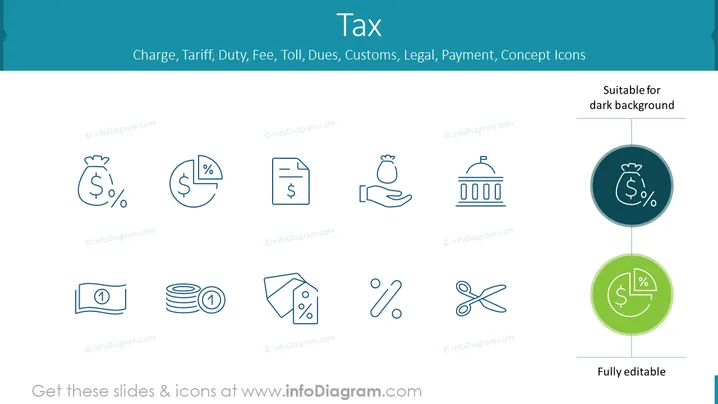
The PowerPoint slide displays a collection of icons representing various financial and legal concepts such as charges, tariffs, and payments. There's a money bag with a percentage sign, suggesting financial obligations like taxes or interest rates. The pie chart with a dollar sign could represent budget allocation or shares. A document with a dollar sign typically indicates an invoice or financial statement. Hand holding a money bag may symbolize giving or receiving payments. The government building icon likely stands for institutional charges, like customs or legal fees. The bill and coin stack represent currency or savings. A tag with a percentage sign might be a discount or special offer. The percentage sign with a scissor implies cost cutting or discounts, and the crossed-out scissors could mean the elimination of fees or rebates.
Graphical Look
- The slide has a light blue background with a set of nine different icons arranged in a 3x3 grid format.
- Each icon is drawn in a simple, outlined vector style and the first row of icons has lighter blue color and the second row icons have a touch darker blue, suggesting a subtle distinction or hierarchy.
- The icons are accompanied by small captions underneath, each with the ©infoDiagram.com watermark.
- On the upper right of the slide, there is text "Suitable for dark background" indicating that these icons can be used on different slide backgrounds.
- The bottom right of the slide features a circular icon magnified, in two color variations, with a darker circle enclosing a lighter one, accompanying the symbol found in the upper left of the slide.
- This emphasized icon is labeled "Fully editable," indicating that the icon's elements can be customized.
- The slide's layout is balanced and clean, with ample white space around each icon.
The overall look of the slide is minimalistic and professional, with a uniform icon design that clearly conveys the financial and legal themes. The color palette is soothing and consistent, giving the slide a cohesive and polished appearance.
Use Cases
- Introducing finance-related topics in a corporate training or educational setting to explain different types of fees or taxation.
- Using in a business plan presentation to highlight potential costs and fees associated with a new project or venture.
- Incorporating into a financial report to visually represent various expenses or revenue streams for better comprehension by the audience.
- Including in a legal or regulatory compliance briefing to discuss duties, tariffs, and customs-related obligations within international trade contexts.
How to Edit
How to edit text & colors

How to expand / shorten diagram

How to Replace Icons in infoDiagram PPT


