Reviews
Ihre Grafiken verleihen meinen Präsentationen eine nette Note, und ich habe sie kürzlich für eines meiner All-Hands-Meetings verwendet. Ihre Toolbox verleiht meinen Folien Professionalität, anstatt Standard-Clipart zu verwenden.
Ich brauchte einen neuen Blick auf einige meiner Folien. Ich habe versucht, einen Weg zu finden, einen Pinselschlag-Effekt zu erzielen, um zu unterstreichen, hervorzuheben, Farbe hinzuzufügen, und die handgeschriebenen Markierungen waren genau das Richtige. Sehr einfach zu bedienen, leicht in der Größe zu ändern, die Farbe zu ändern. Es war eine erschwingliche, perfekte Lösung und ich empfehle sie gerne weiter.
Die klare, saubere Optik der Grafiken und die Tatsache, dass ich die Farben leicht bearbeiten und an die Vorlage anpassen konnte, war mein Hauptgrund für den Kauf.
Description
Table of Content Template – Outlined Notebook Shape
Slide Content
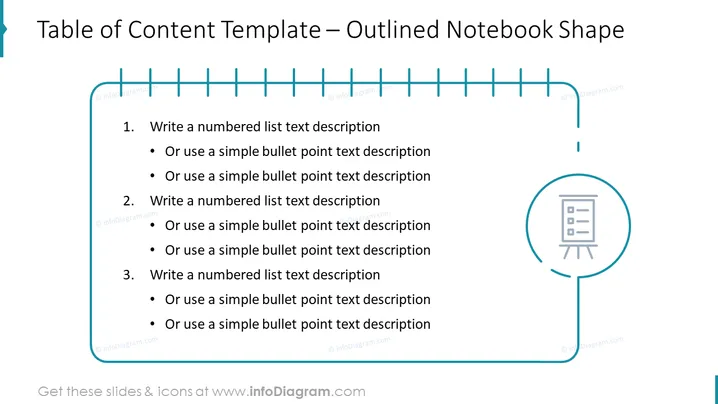
The slide is a visual representation of a table of contents laid out in an outlined notebook shape. It consists of three main sections, each accompanied by bullet points for detailed sub-items. Each section begins with "Write a numbered list text description," indicating where the presenter should include key topics or chapters. Sub-points are placeholders for a more detailed explanation of each main point, suggesting a structured and hierarchical organization of content typically found in presentations, reports, or documents.
Graphical Look
- The slide’s background is white, emphasizing the content and icons.
- The title "Table of Content Template – Outlined Notebook Shape" is placed at the top in a large, bold, blue font.
- A stylized representation of a notebook is featured, complete with a blue outline and ring bindings depicted along the top edge.
- Three numbered main points are presented in bold, black font, aligned to the left side of the notebook representation.
- Each main point includes two sub-points, formatted as bullet points with a standard black font, indicating additional information.
- To the right, a circular icon encloses a simplified image of a flip chart with text lines, resembling a structured presentation or document.
The slide uses a simple and clean design with a limited color palette, mainly blue and black, to maintain focus on content. The outlined notebook graphic provides a thematic and organized framework for the listed content.
Use Cases
- The slide can be used in educational presentations to display the breakdown of lectures or curriculum sections.
- In business meetings, it can serve as an agenda or overview of the presentation's main topics and sub-topics.
- For project kickoff presentations, it would be useful to outline the phases of the project and their corresponding deliverables or tasks.
- When drafting a report, proposal, or any comprehensive document, this slide can illustrate the structure of its content, providing clarity to the audience.
How to Edit
How to edit text & colors

How to expand / shorten diagram

How to Replace Icons in infoDiagram PPT


