Reviews
Your slides are my 'secret sauce' when it comes to visualising my ideas to clients. I'm saving so much time.
InfoDiagram has been a wonderful resource since I found the product site a few years ago.
Your slides often generate good comments and ideas from my team that improve the final slides.
Description
Table Header as Flat Arrow Stripes
Slide Content
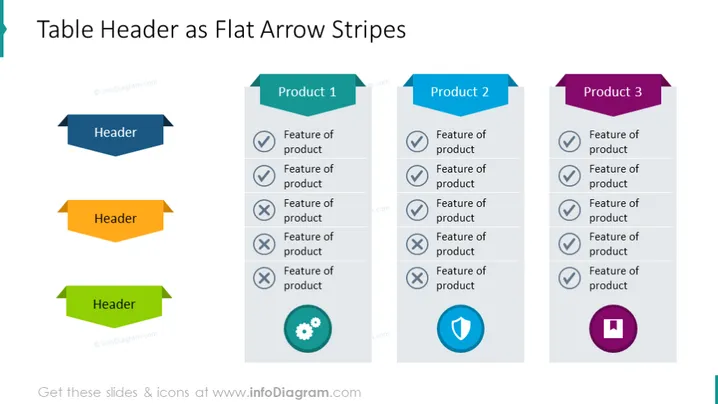
The slide titled "Table Header as Flat Arrow Stripes" compares three different products. Each product section includes an arrow-shaped header with the product name and bullet points listing features of the product. The bullet points are accompanied by icons signifying a positive feature (checkmark), a negative feature (cross mark), a neutral or additional feature (gear icon), and specific attributes highlighted with distinct icons.
Graphical Look
- Three arrow-shaped headers with different colors (blue, orange, green) point towards the corresponding product columns.
- Each product column is titled "Product 1", "Product 2", and "Product 3" respectively, with matching arrow headers.
- Bullet points list the features of the products with icons like checkmarks and crosses to indicate positive and negative features.
- At the end of the bullet point lists, unique icons (a shield and a floppy disk) highlight specific attributes of the respective products.
- The design is flat, without any 3D effects, giving it a modern and clean look.
- Each section is clearly demarcated using different colors to aid visual differentiation.
The slide is slick and easy to interpret, with a color-coded system that provides immediate understanding. Its simple iconography efficiently conveys the status of each listed feature.
Use Cases
- In sales presentations to compare features of different products.
- During business meetings to discuss product development progress or changes.
- In marketing materials to highlight the strengths and weaknesses of competitor products.
- For internal training purposes, where employees learn about product specifications and differences.
How to Edit
How to edit text & colors

How to expand / shorten diagram

How to Replace Icons in infoDiagram PPT


