Reviews
Your graphics add a nice touch to my presentations and I recently used them for one of my all-hands meetings. Your toolbox adds professionalism to my slides. Instead of using standard clipart.
I needed a fresh look at some of my slides. I've tried to find a way to create a paintbrush effect, to underline, accentuate, add some color and the handwritten markers were just the things. Very easy to use, easy to size, change the color. It was an affordable, perfect solution and I'm happy to recommend it.
The crisp, clean look of the graphics, and the fact that it allowed me to easily edit and change the colors to match the template was my main reason for purchasing them.
Description
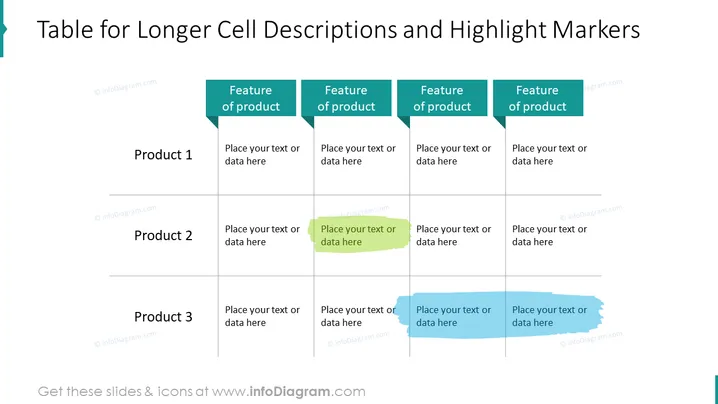
Table for Longer Cell Descriptions and Highlight Markers
Slide Content
The slide is titled "Table for Longer Cell Descriptions and Highlight Markers," showcasing a comparison table that contrasts features across three products. Each row represents a different product, and four columns are dedicated to various features of these products, where descriptive text can be placed. Highlight markers are used to draw attention to certain table cells, suggesting that these areas may contain key information or differentiators between the products.
Graphical Look
- A bold title at the top in a large font, clearly stating the purpose of the slide.
- A four-column, three-row table with a light grid, providing structure for comparing features of different products.
- Simple header cells with a bold teal background and white text labeling each column as "Feature of product".
- Placeholder text boxes in each cell under the headers, inviting the user to add specific details.
- Two colored highlight markers overlaying some cells to indicate areas of emphasis or importance; one is green and the other is blue with a brush stroke appearance.
- The table and highlight markers are all aligned in an organized manner to maintain a clean, professional look.
The slide features a minimalist design with emphasis on functionality and readability. The contrasting highlight markers add a dynamic aspect to the otherwise static table, guiding viewers' focus and adding visual interest.
Use Cases
- To provide a clear comparison of detailed features between multiple products during business meetings.
- For sales presentations where highlighting specific product advantages can help in persuading potential clients.
- To summarize and present research findings in which different options or categories are evaluated for decision-making processes.
- As a teaching aid in educational settings when comparing case studies, scenarios, or theories.
How to Edit
How to edit text & colors

How to expand / shorten diagram

How to Replace Icons in infoDiagram PPT


