Reviews
Your graphics add a nice touch to my presentations and I recently used them for one of my all-hands meetings. Your toolbox adds professionalism to my slides. Instead of using standard clipart.
I needed a fresh look at some of my slides. I've tried to find a way to create a paintbrush effect, to underline, accentuate, add some color and the handwritten markers were just the things. Very easy to use, easy to size, change the color. It was an affordable, perfect solution and I'm happy to recommend it.
The crisp, clean look of the graphics, and the fact that it allowed me to easily edit and change the colors to match the template was my main reason for purchasing them.
Description
Poll Question Result Presentation – Text List Template
Slide Content
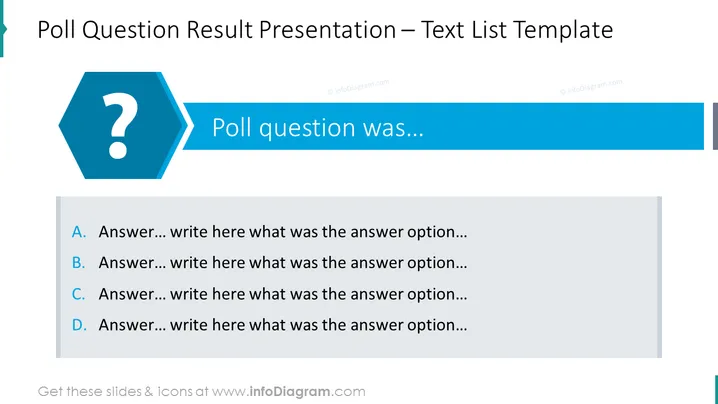
The slide is intended for presenting poll results, with the main question introduced and followed by a list of possible answers. The question is previewed by "Poll question was..." suggesting that the exact question should be inserted here. The answers are labeled from "A" to "D," each accompanied by a prompt to "write here what was the answer option," clearly indicating placeholders where the specific response options are to be detailed.
Graphical Look
- The slide has a prominent dark teal header with the title in a bold white font.
- A large hexagonal icon in the same teal color with a white question mark signifies the theme of polling or questioning.
- The question mark is connected to a rectangular shape that contains the text "Poll question was..." in a large font.
- Four rectangles shaded in alternating light grey and white contain the placeholders for answer options A to D, each followed by ellipses inviting additional text.
The slide has a clean and professional design with a color scheme centered around shades of teal and grey, providing a clear distinction between the question and the answer options.
Use Cases
- Showcasing results of audience surveys during presentations to engage viewers with collected data.
- Revealing poll outcomes in team meetings to discuss group opinions or decision-making.
- Communicating customer feedback or market research results in a straightforward format.
- Conducting live voting sessions in workshops or seminars where the audience’s responses are displayed.
How to Edit
How to edit text & colors

How to expand / shorten diagram

How to Replace Icons in infoDiagram PPT


