Reviews
Your graphics add a nice touch to my presentations and I recently used them for one of my all-hands meetings. Your toolbox adds professionalism to my slides. Instead of using standard clipart.
I needed a fresh look at some of my slides. I've tried to find a way to create a paintbrush effect, to underline, accentuate, add some color and the handwritten markers were just the things. Very easy to use, easy to size, change the color. It was an affordable, perfect solution and I'm happy to recommend it.
The crisp, clean look of the graphics, and the fact that it allowed me to easily edit and change the colors to match the template was my main reason for purchasing them.
Description
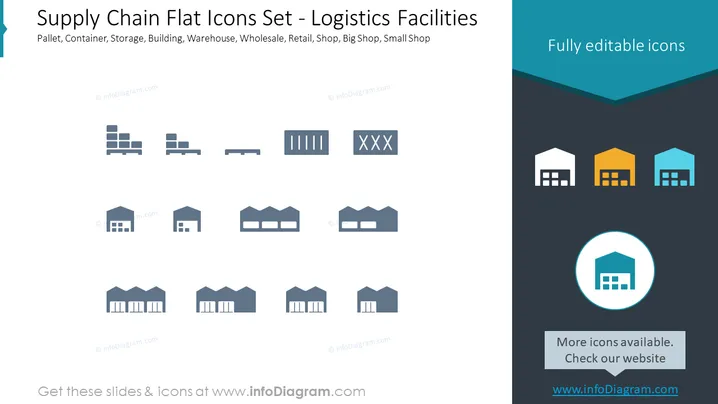
Supply Chain Flat Icons Set - Logistics Facilities
Slide Content
This PowerPoint slide presents a collection of flat design icons related to supply chain logistics facilities. Each icon represents a different aspect of logistics infrastructure such as pallets, containers, various types of buildings, and retail outlets ranging from small shops to large wholesale warehouses. Pallet icons illustrate the standard tools for transporting goods; container icons indicate larger units for shipping items; various buildings are depicted to represent storage and distribution points; while retail icons differentiate between the sizes and types of shops.
Graphical Look
- The slide background is divided into two colors diagonally: light gray on the top and dark gray on the bottom.
- A collection of 11 icons is aligned horizontally across the slide, each representing different logistics facilities.
- The icons consist of simple, flat designs with muted blue tones which allow easy visual interpretation.
- On the right, three building icons are highlighted with different colors (white, yellow, blue) to possibly indicate a categorization or selection.
- A circular icon at the bottom right features a zoom-in on one of the building icons, with a blue circle around it, suggesting additional focus or importance.
- The overall theme of the icons is consistent, maintaining a professional and straightforward aesthetic that is easy on the eyes for viewers.
The slide has a modern, clean visual style with attention drawn to the icons through the use of contrasting background colors and selective highlighting. The simplicity of the design ensures that the focus remains on the content, making it easy to understand at a glance.
Use Cases
- Explaining different components of a supply chain during a business presentation to give an overview of logistical processes.
- Illustrating facility types during a training session for employees to familiarize them with the company's supply chain network.
- Pitching a logistics optimization plan to stakeholders, using icons to quickly communicate areas of improvement or investment.
- Enhancing a report on supply chain performance by incorporating visual aids that summarize physical asset types and their roles within the supply chain.
How to Edit
How to edit text & colors

How to expand / shorten diagram

How to Replace Icons in infoDiagram PPT


