

Your graphics add a nice touch to my presentations and I recently used them for one of my all-hands meetings. Your toolbox adds professionalism to my slides. Instead of using standard clipart.
Claude Jones, Director of Engineer, @Walmartlabs, USA

Your graphics add a nice touch to my presentations and I recently used them for one of my all-hands meetings. Your toolbox adds professionalism to my slides. Instead of using standard clipart.
Claude Jones, Director of Engineer, @Walmartlabs, USA
I needed a fresh look at some of my slides. I've tried to find a way to create a paintbrush effect, to underline, accentuate, add some color and the handwritten markers were just the things. Very easy to use, easy to size, change the color. It was an affordable, perfect solution and I'm happy to recommend it.
Anonymous, US
The crisp, clean look of the graphics, and the fact that it allowed me to easily edit and change the colors to match the template was my main reason for purchasing them.
Brandie Jenkins, E-learning Developer, USA
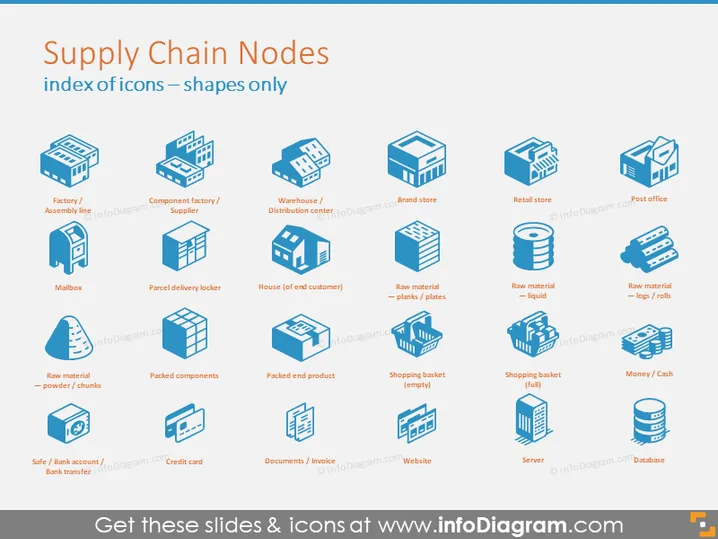
The PowerPoint slide is titled "Supply Chain Nodes" and indicates an index of icons representing various elements and stakeholders within supply chains. Images include factories, component suppliers, warehouses, retail stores, post offices, mailboxes, delivery lockers, households, and various forms of raw materials (powder/chunks, planks/plates, liquid, logs/rolls). Additional icons illustrate financial transactions and information management like banks, credit cards, invoices, websites, and databases. Each symbol conveys a critical touchpoint in the network which collaborates to move products from creation to consumer.
The slide's design is clean and modern, with an organized layout that facilitates quick identification and interpretation of each element. The isometric and flat design style coupled with the shadow effects gives the icons a three-dimensional appearance while keeping a minimalistic aesthetic.



