Reviews
Your graphics add a nice touch to my presentations and I recently used them for one of my all-hands meetings. Your toolbox adds professionalism to my slides. Instead of using standard clipart.
I needed a fresh look at some of my slides. I've tried to find a way to create a paintbrush effect, to underline, accentuate, add some color and the handwritten markers were just the things. Very easy to use, easy to size, change the color. It was an affordable, perfect solution and I'm happy to recommend it.
The crisp, clean look of the graphics, and the fact that it allowed me to easily edit and change the colors to match the template was my main reason for purchasing them.
Description
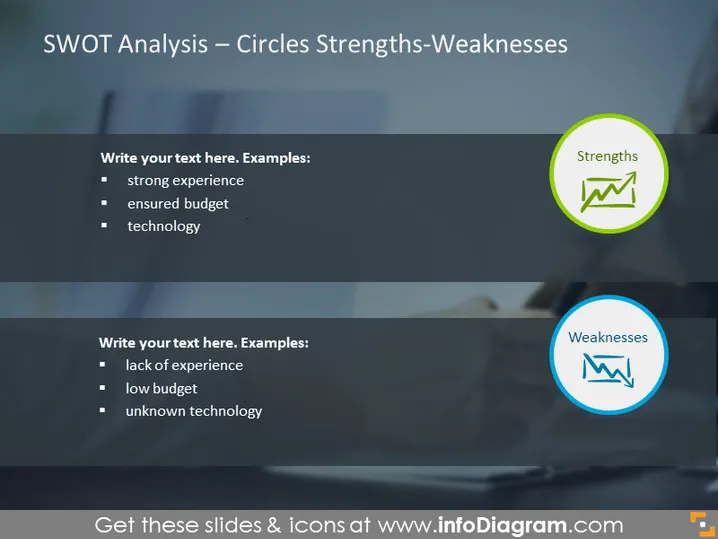
SWOT Analysis – Circles Strengths-Weaknesses
Slide Content
The slide presents a part of a SWOT analysis, focusing on the 'Strengths' and 'Weaknesses' aspects. The 'Strengths' section identifies positive attributes such as "strong experience," "ensured budget," and "technology," indicating areas where the subject has an advantage. Each of these points suggests a competitive edge or resources that can be leveraged. The 'Weaknesses' outline potential drawbacks or areas for improvement, including "lack of experience," "low budget," and "unknown technology." These represent challenges or deficiencies that might hinder success.
Graphical Look
- The slide background features an abstract, blurred, blue-toned image with no discernible objects or scenes.
- The title of the slide, "SWOT Analysis – Circles Strengths-Weaknesses," is clearly placed at the top in white, capitalized, sans-serif font.
- Two colored circular icons are prominently displayed – one lime green (depicting 'Strengths') and the other sky blue (signifying 'Weaknesses').
- Each circular icon contains a white graphic symbolizing a chart, suggesting a quantifiable and analytical approach.
- Adjacent to each icon, there are bullet points for entering text, with example entries provided in a smaller, gray, sans-serif font.
- The overall layout is symmetric with two separate text boxes for 'Strengths' and 'Weaknesses.'
The slide has a professional and contemporary appearance, with contrasting colors that are visually appealing and direct attention to the key points of analysis.
Use Cases
- To present the internal capabilities and challenges during strategic business meetings or consultations.
- To facilitate discussions on project or organizational performance in management reviews.
- For workshops or training sessions focused on business analysis and strategic planning.
- In pitch presentations to investors or stakeholders to showcase understanding of the company's internal landscape.
How to Edit
How to edit text & colors

How to expand / shorten diagram

How to Replace Icons in infoDiagram PPT


