Reviews
Ihre Grafiken verleihen meinen Präsentationen eine nette Note, und ich habe sie kürzlich für eines meiner All-Hands-Meetings verwendet. Ihre Toolbox verleiht meinen Folien Professionalität, anstatt Standard-Clipart zu verwenden.
Ich brauchte einen neuen Blick auf einige meiner Folien. Ich habe versucht, einen Weg zu finden, einen Pinselschlag-Effekt zu erzielen, um zu unterstreichen, hervorzuheben, Farbe hinzuzufügen, und die handgeschriebenen Markierungen waren genau das Richtige. Sehr einfach zu bedienen, leicht in der Größe zu ändern, die Farbe zu ändern. Es war eine erschwingliche, perfekte Lösung und ich empfehle sie gerne weiter.
Die klare, saubere Optik der Grafiken und die Tatsache, dass ich die Farben leicht bearbeiten und an die Vorlage anpassen konnte, war mein Hauptgrund für den Kauf.
Description
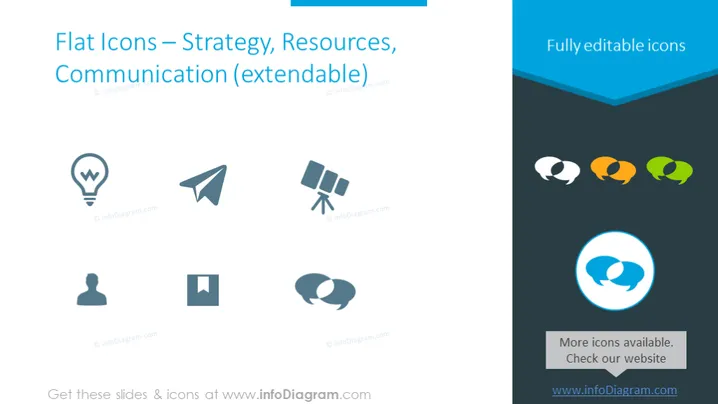
Flat Icons – Strategy, Resources, Communication (extendable)
Slide Content
The PowerPoint slide presents a collection of flat icons that are classified under the themes of Strategy, Resources, and Communication. These icons are intended to be symbolic representations of various business or conceptual ideas. The icons include a light bulb indicating an idea, a paper airplane signifying sending or delivering a message, and satellite dishes representing communication technology. A user profile suggests customer or user-focused strategies, a square that could serve as a placeholder for additional content, and conversation bubbles depicting dialogue or discussion.
Graphical Look
- The background color is a gradient ranging from light blue at the top fading to white in the middle.
- The title is in large, bold, dark blue text at the top of the slide.
- Six icons are aligned in two columns of three rows on the left side of the slide.
- Each icon is accompanied by a small watermark logo below it.
- Over on the right is a vertical blue banner with the phrase "Fully editable icons" written in white text.
- Below the banner are three conversation bubbles with a gradient fill, suggesting color options for the icons.
- At the bottom right, there is a speech bubble within a blue circle and text that informs about more icons available on a website.
The slide has a clean and professional look, with plenty of whitespace and a modern design. The use of flat design for the icons and the consistent color scheme provides a cohesive and visually appealing interface.
Use Cases
- To visually represent key concepts during a strategizing session.
- To enhance slide readability in a training presentation by using icons to symbolize different topics or modules.
- To make an interactive menu for topics covered in a workshop, where icons serve as intuitive buttons for navigation.
- To create an engaging and accessible webcast, adding icons to slides to aid viewers in quickly grasping the content.
How to Edit
How to edit text & colors

How to expand / shorten diagram

How to Replace Icons in infoDiagram PPT


